Seven areas, one single database
What the home page sums up in seven sentences, this page opens: every area with its real screens, what they hold, and what the franchisee sees of the same subject.
No sign-up, no public trial. A demonstration on your own situation.
What a network cannot see
The same blind spots show up in every network that grows faster than its tooling.
Head office chases, the branch re-enters
Reporting is self-declared and late. Time spent consolidating by hand is time spent neither selling nor running the network.
Advertising optimizes on clicks
As long as signed business does not flow back to the ad platforms, budget gets tuned on metrics that pay nobody.
Royalties are calculated by hand
A monthly chore, a source of errors and arguments, on a basis the franchisee cannot verify for themselves.
Compliance lives in folders
Pre-contract disclosure, contracts, insurance, accreditations: without a calendar and reminders, gaps surface at the worst possible moment.
Quality is judged on gut feel
Without regular, explainable scoring, running the network rests on impressions rather than shared facts.
The customer's voice gets lost
Satisfaction surveys and reviews sit in their own corner, when they should be correcting the sales queue and alerting head office.
Fits your trade, without becoming sector software
The three screens below are ONE configuration: that of a network running a fleet and having to trace regulated flows. They do not describe the product, they show what can be asked of it.
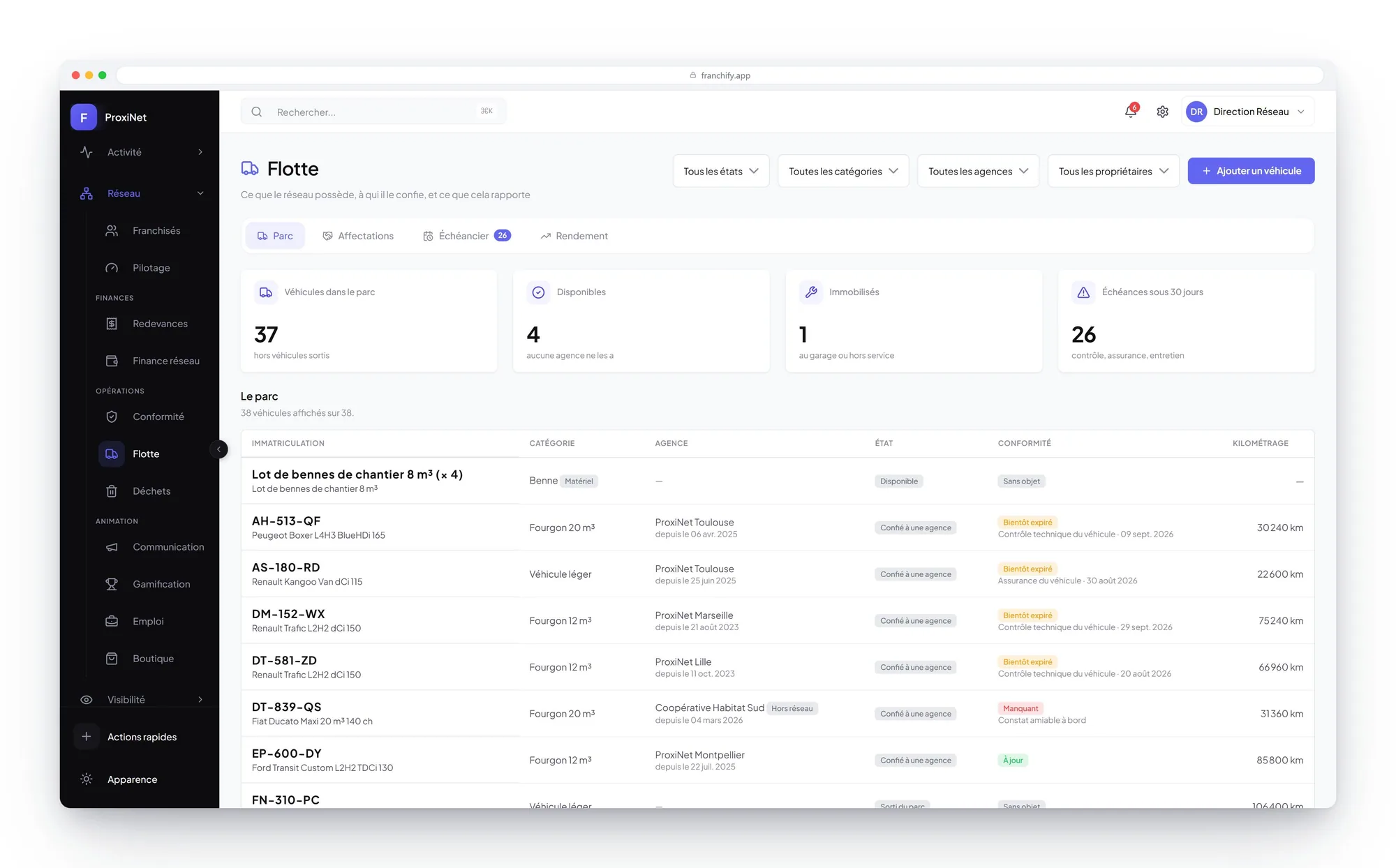
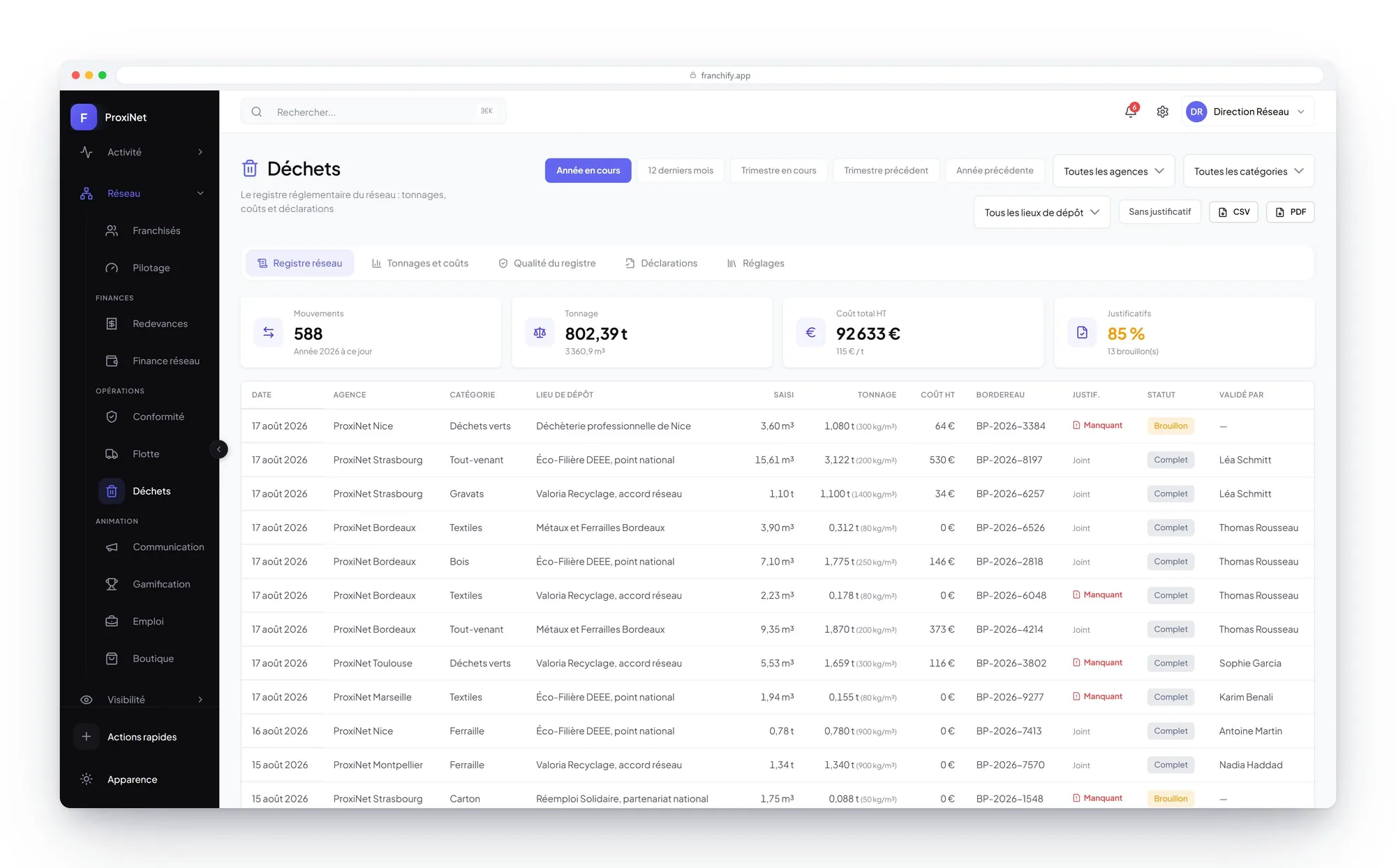
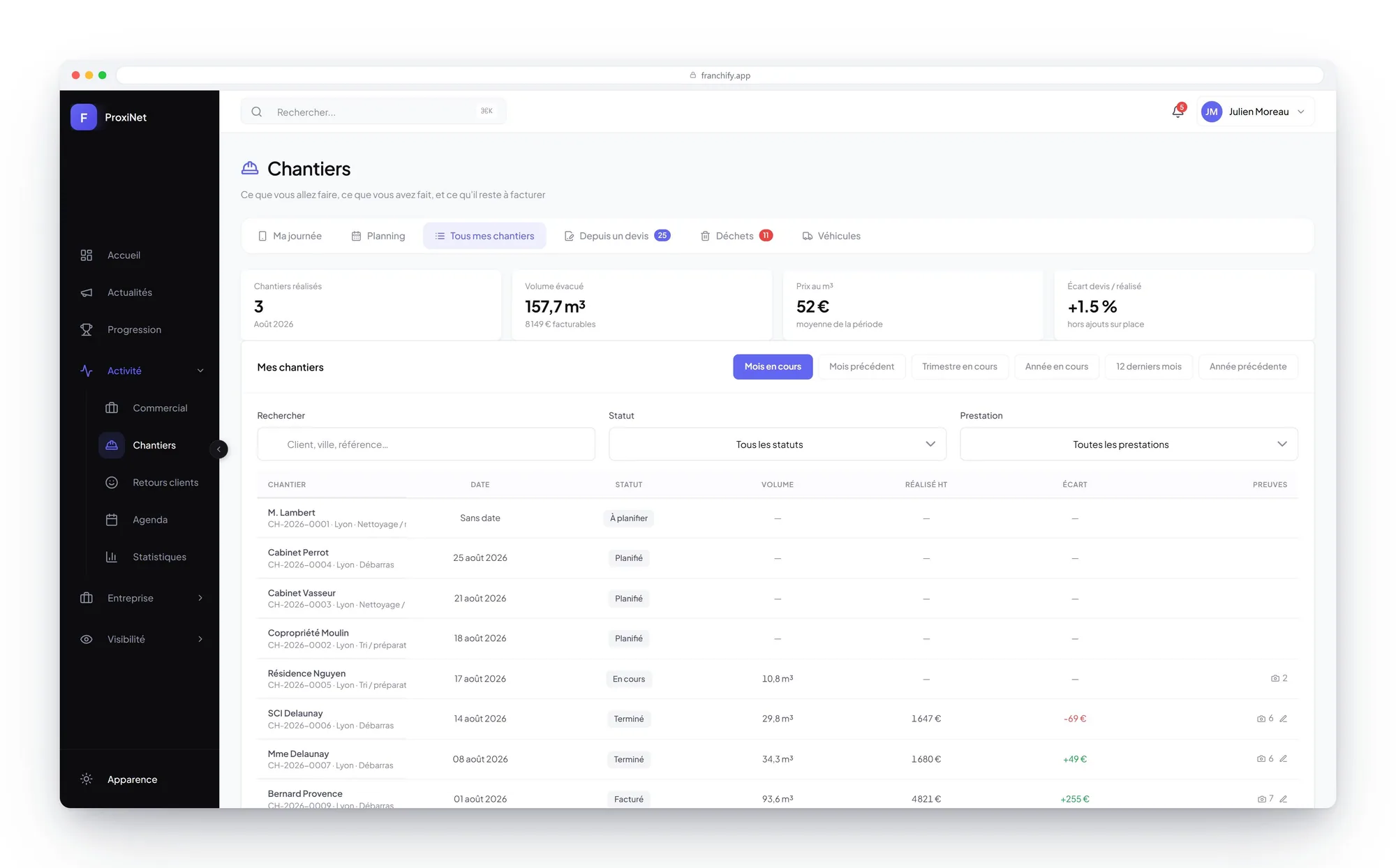
Example shown on the ProxiNet demonstration network. Screens, indicators and registers are configured for your trade.
Screenshots shown in French.
A module your network does not open does not exist for it: its route closes, its menu entry goes, its sends stop. What your activity is missing, conversely, gets added in configuration, screens, indicators and the fields extracted from your documents included.
Every enquiry, from the form to the signed deal
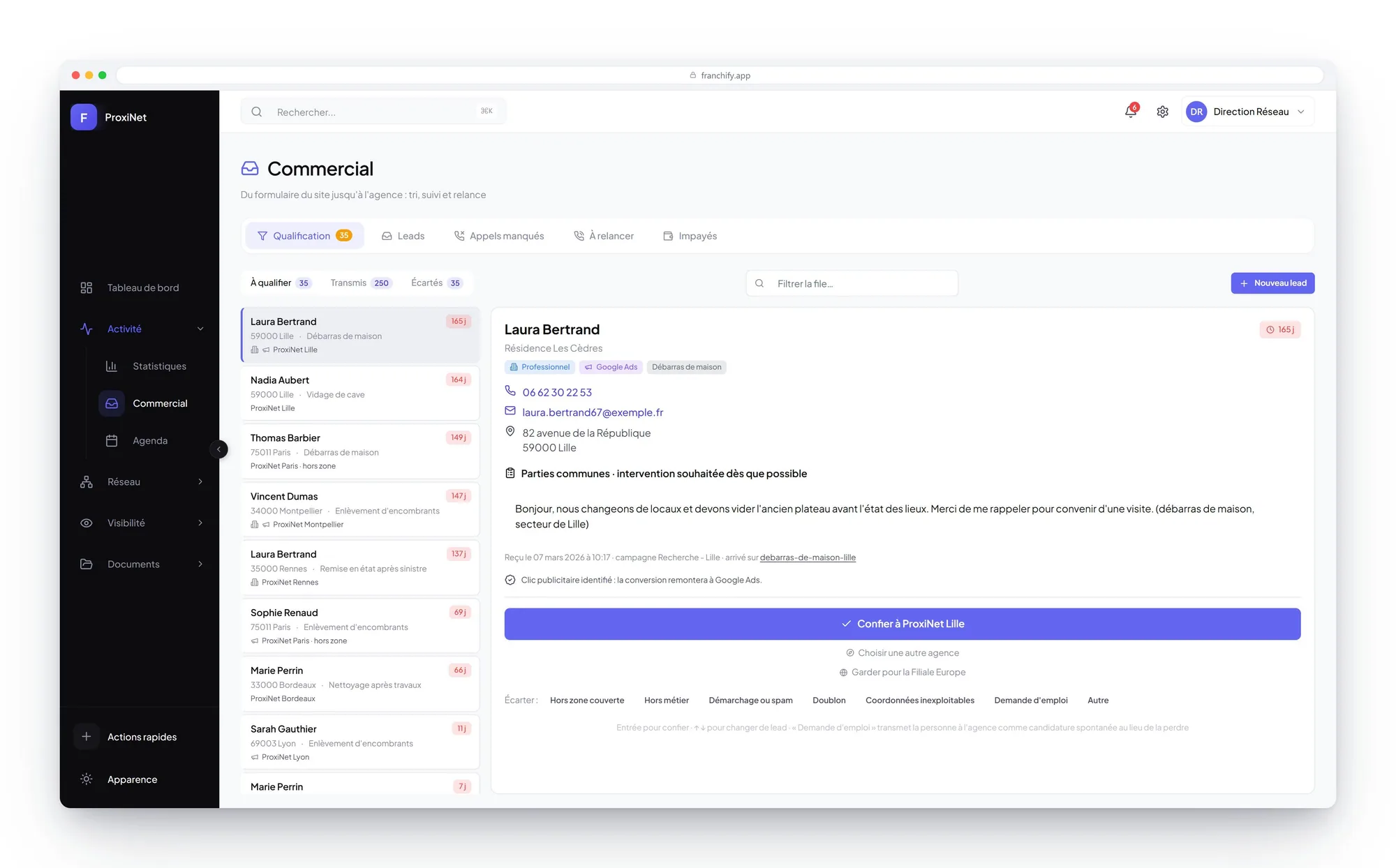
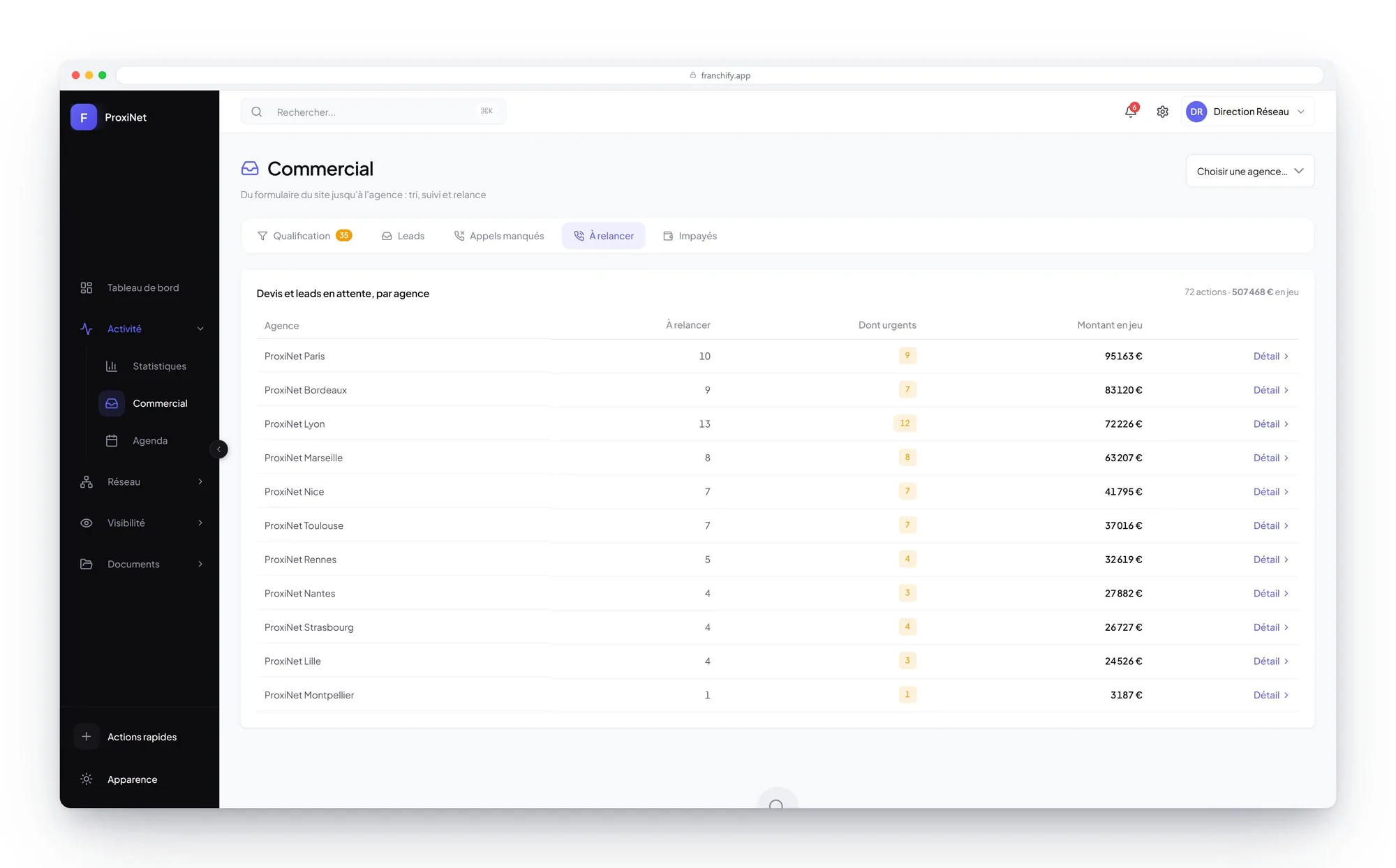
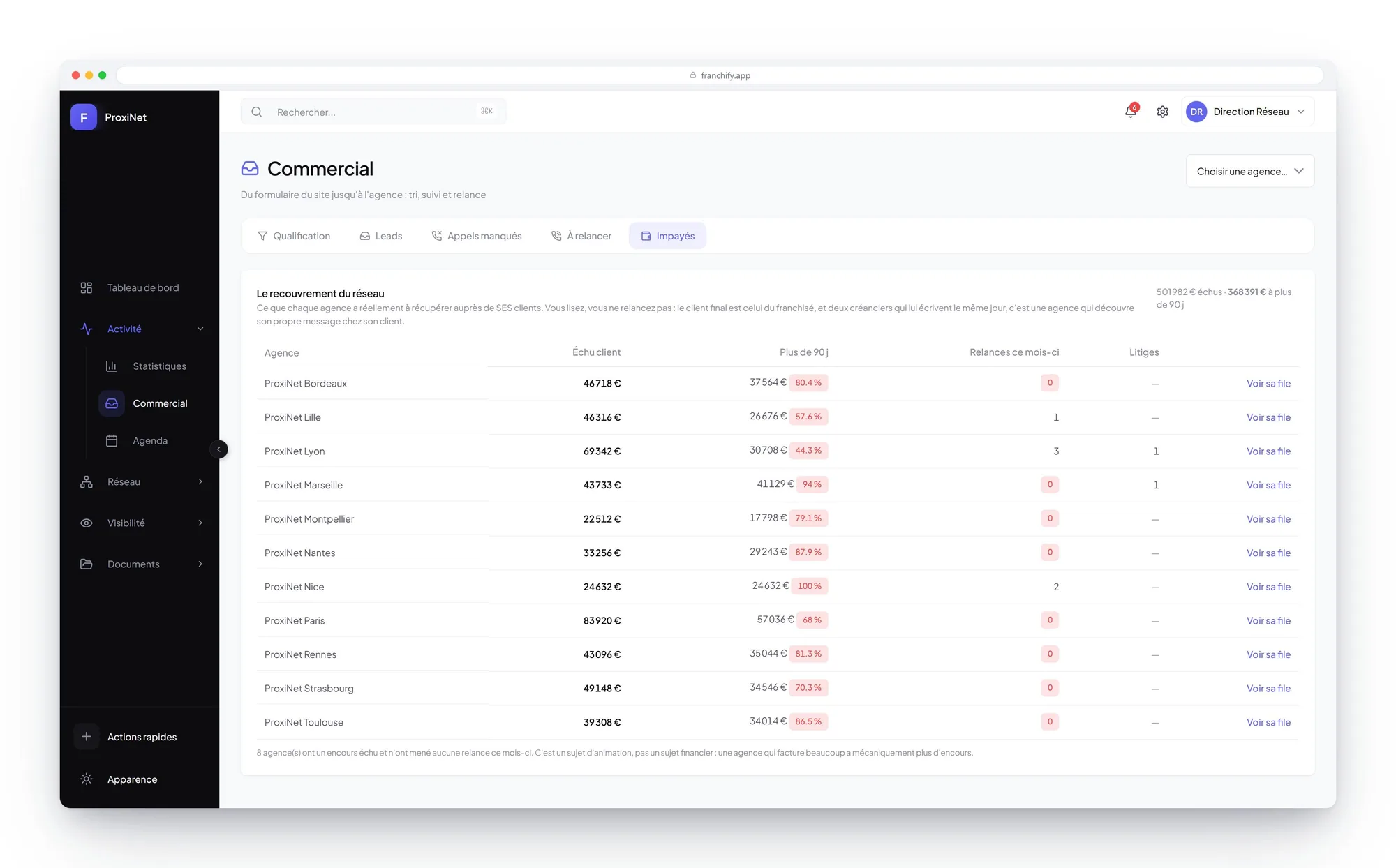
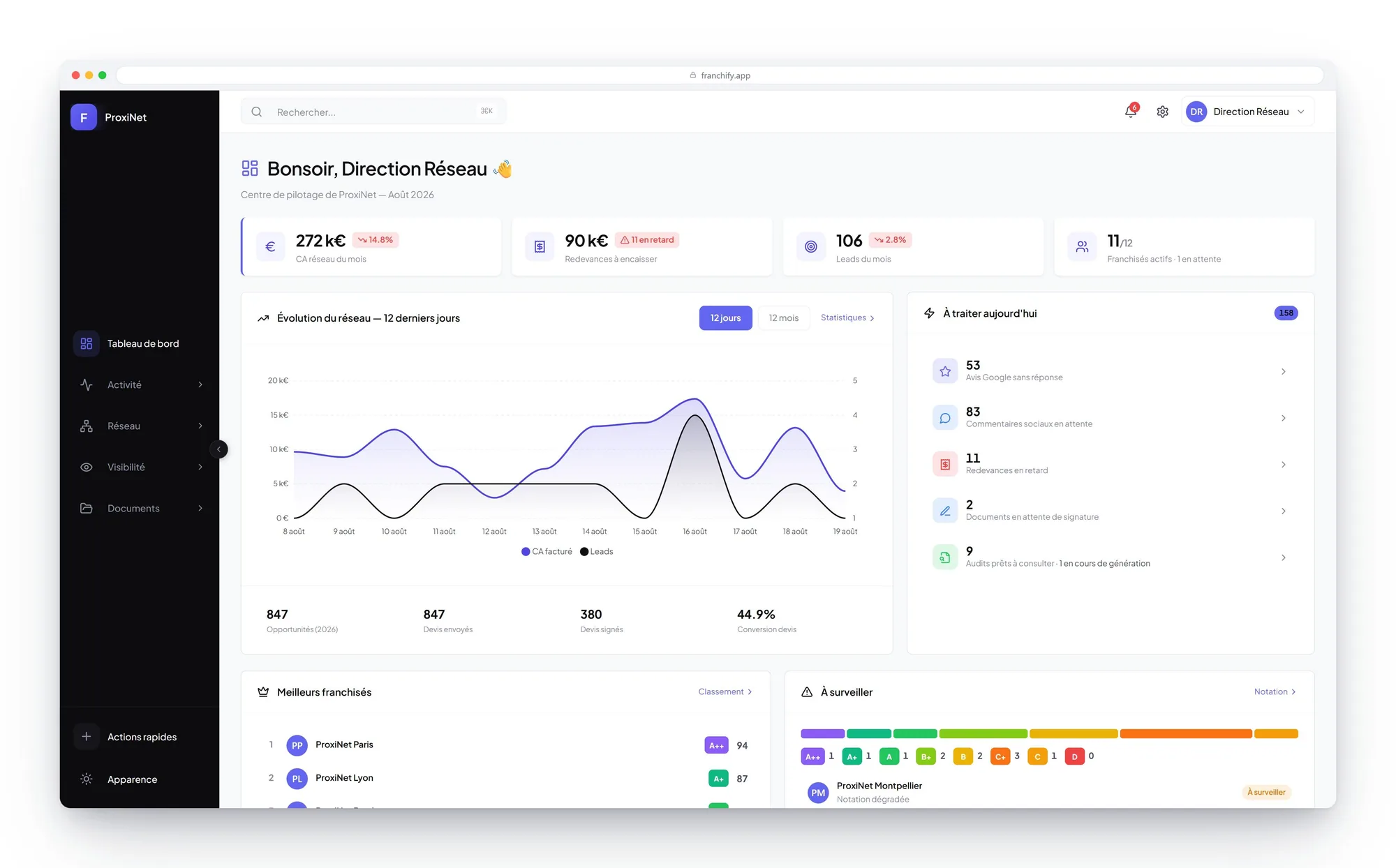
Enquiries landing on the network's website are qualified, routed to the right territory, then followed through to the quote and the payment. Head office sees what is happening without having to ask.
- Leads sorted by channel: organic search, advertising, social, phone calls
- Missed calls, pending follow-ups and unpaid invoices, each in its own tab
- Where each deal came from: brought in by head office or by the branch
- Filters by status, channel, campaign and branch
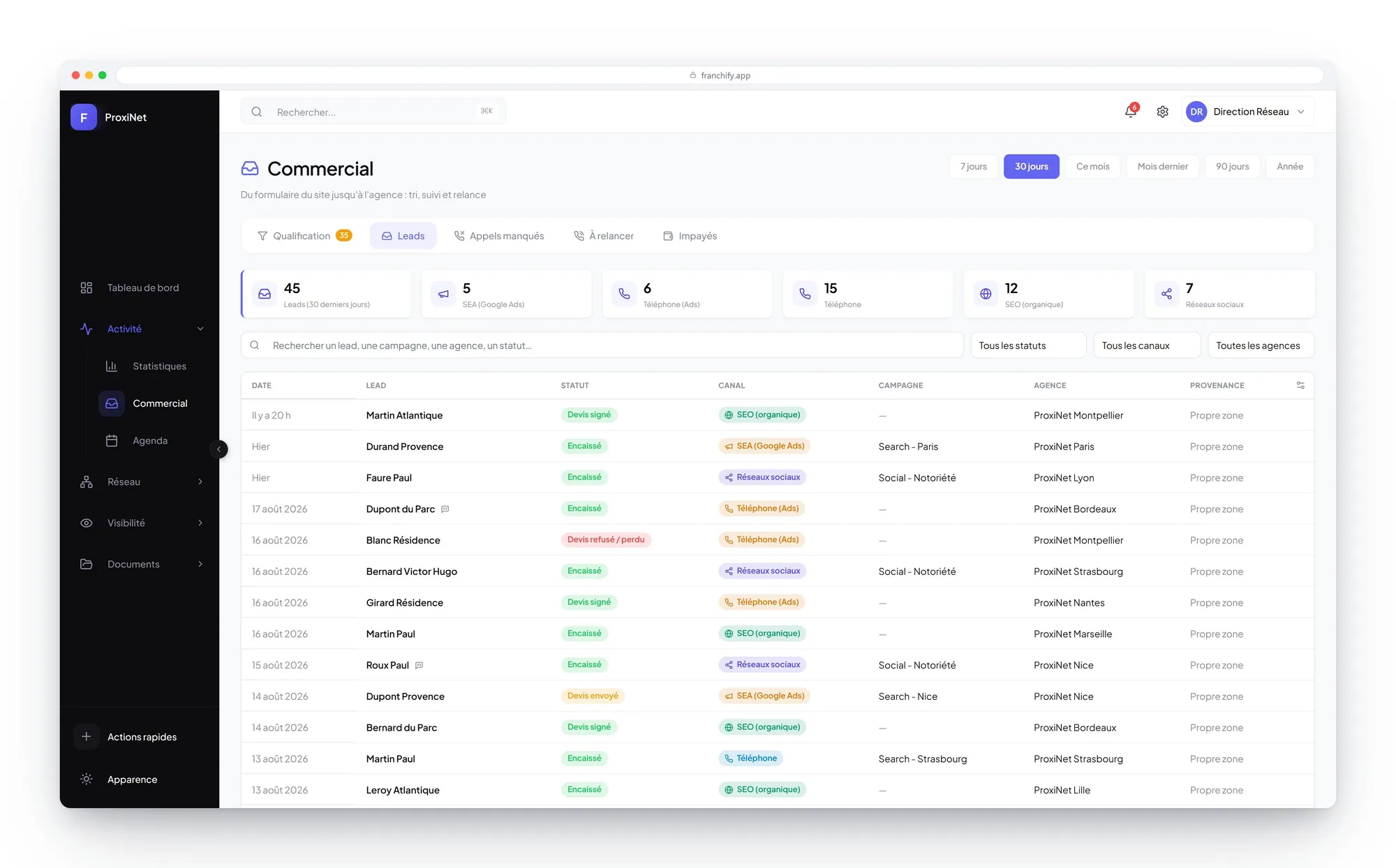
ProxiNet example. Screens and registers are configurable.
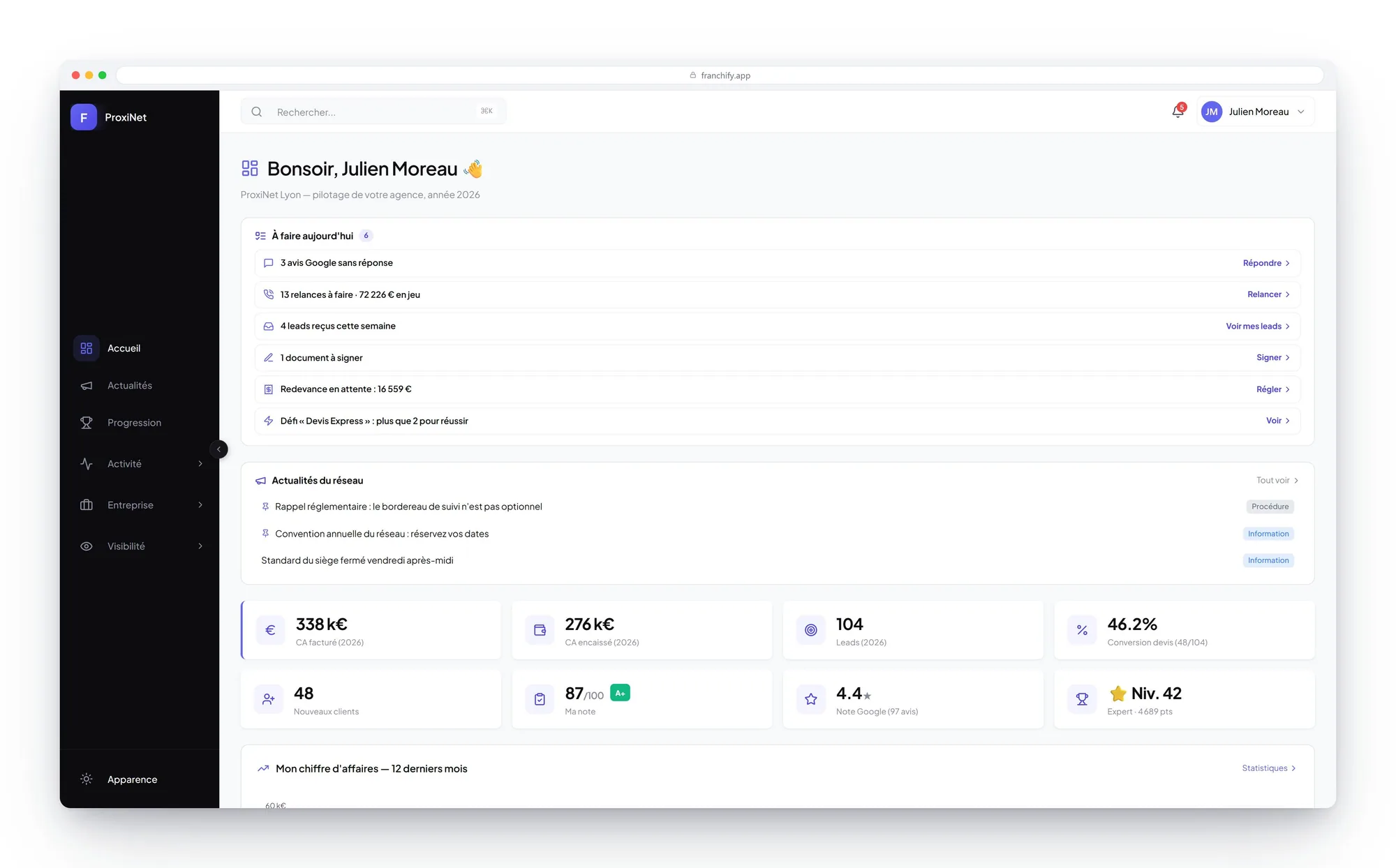
The franchisee opens their day on the same queue: leads received this week, follow-ups to make, reviews with no reply and the document to sign. They act on it, head office measures it, and nobody re-enters anything.
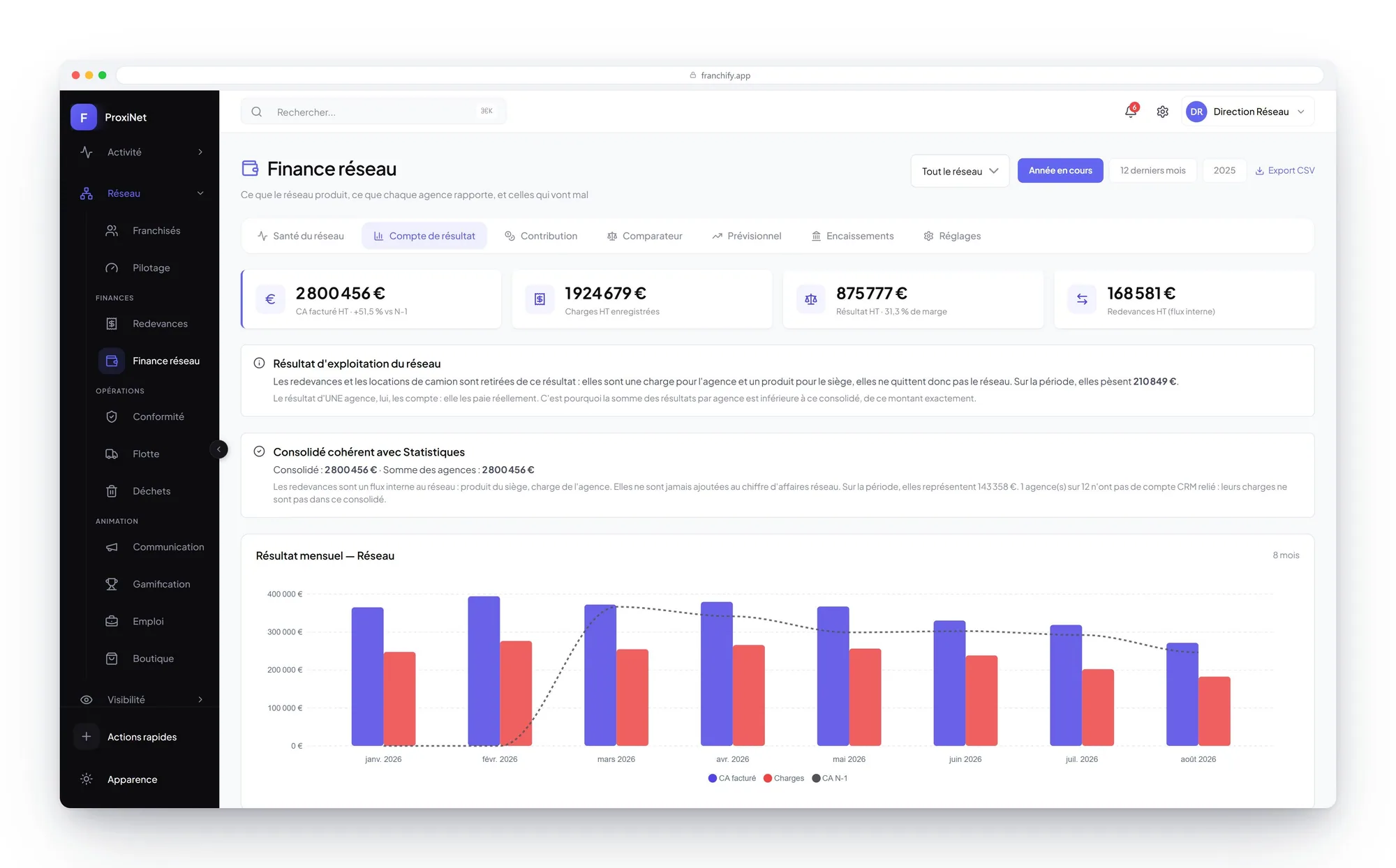
The full funnel, from first contact to revenue
Opportunities, quotes sent, quotes signed, revenue collected: every step with its conversion rate, for the whole network as well as branch by branch.
- Conversion rate, average order value and the network's commercial health
- Branches compared on exactly the same indicators
- Categories sold and prices charged: what the field actually does
- Free date ranges and year-on-year comparison
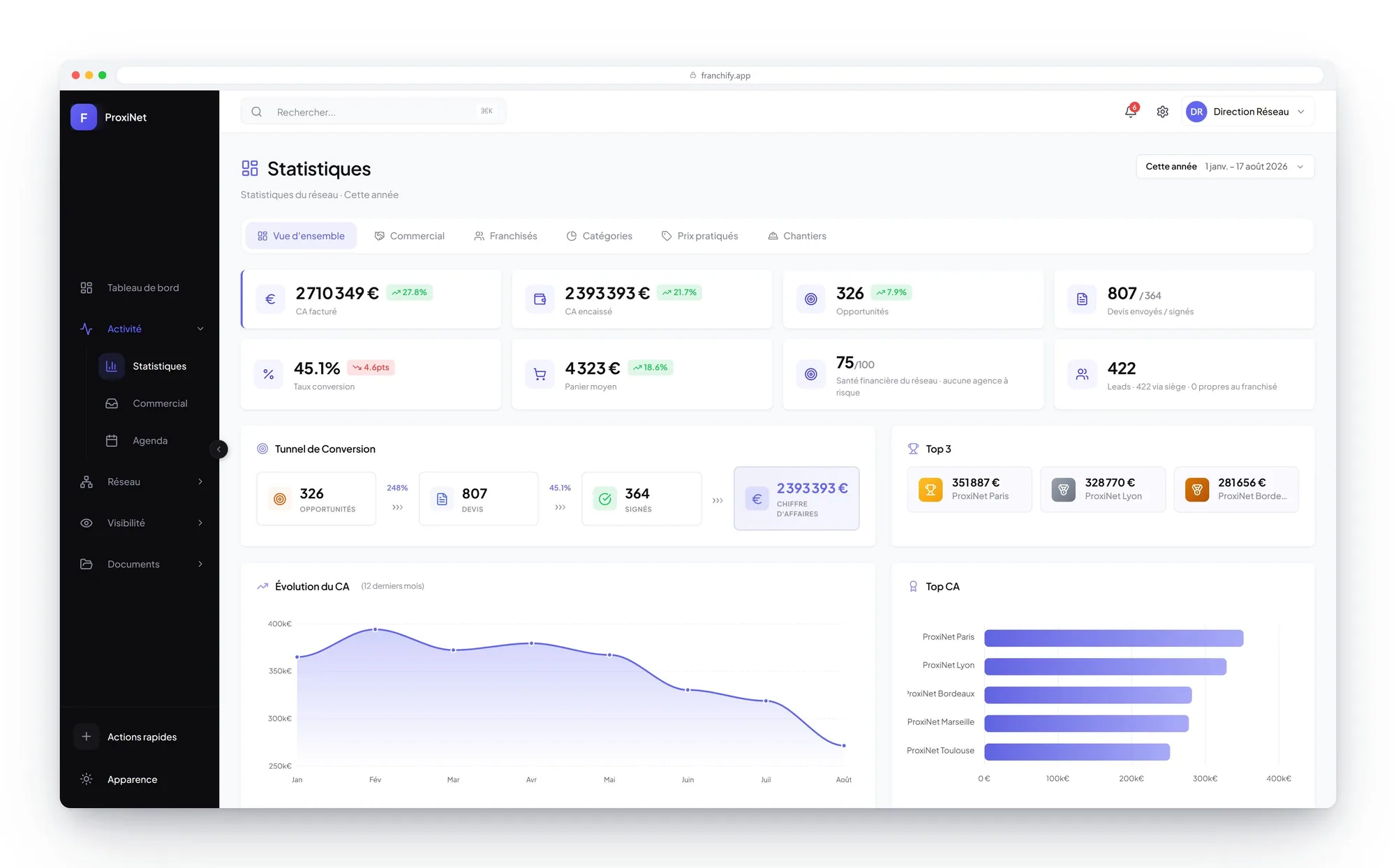
ProxiNet example. Screens and registers are configurable.
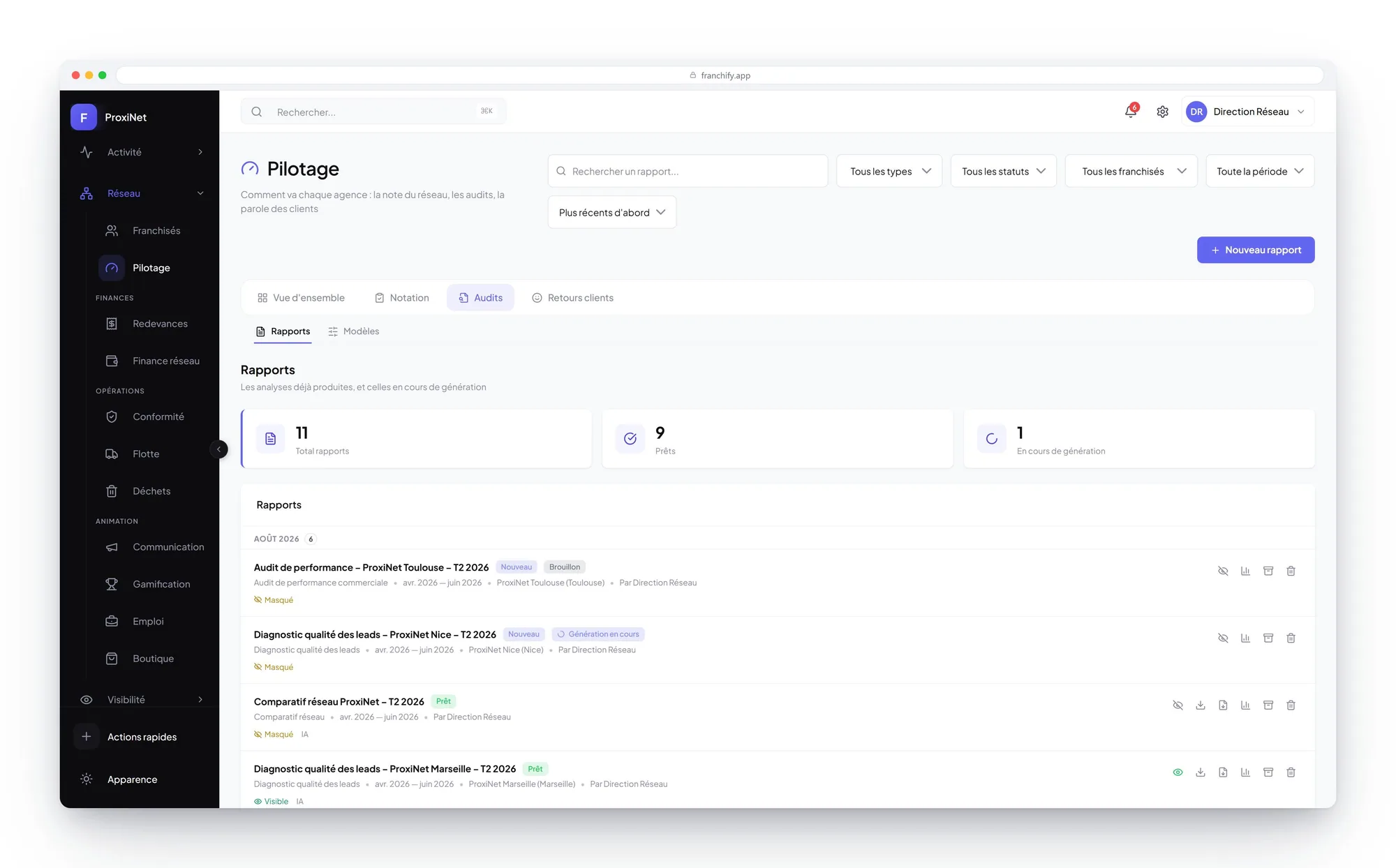
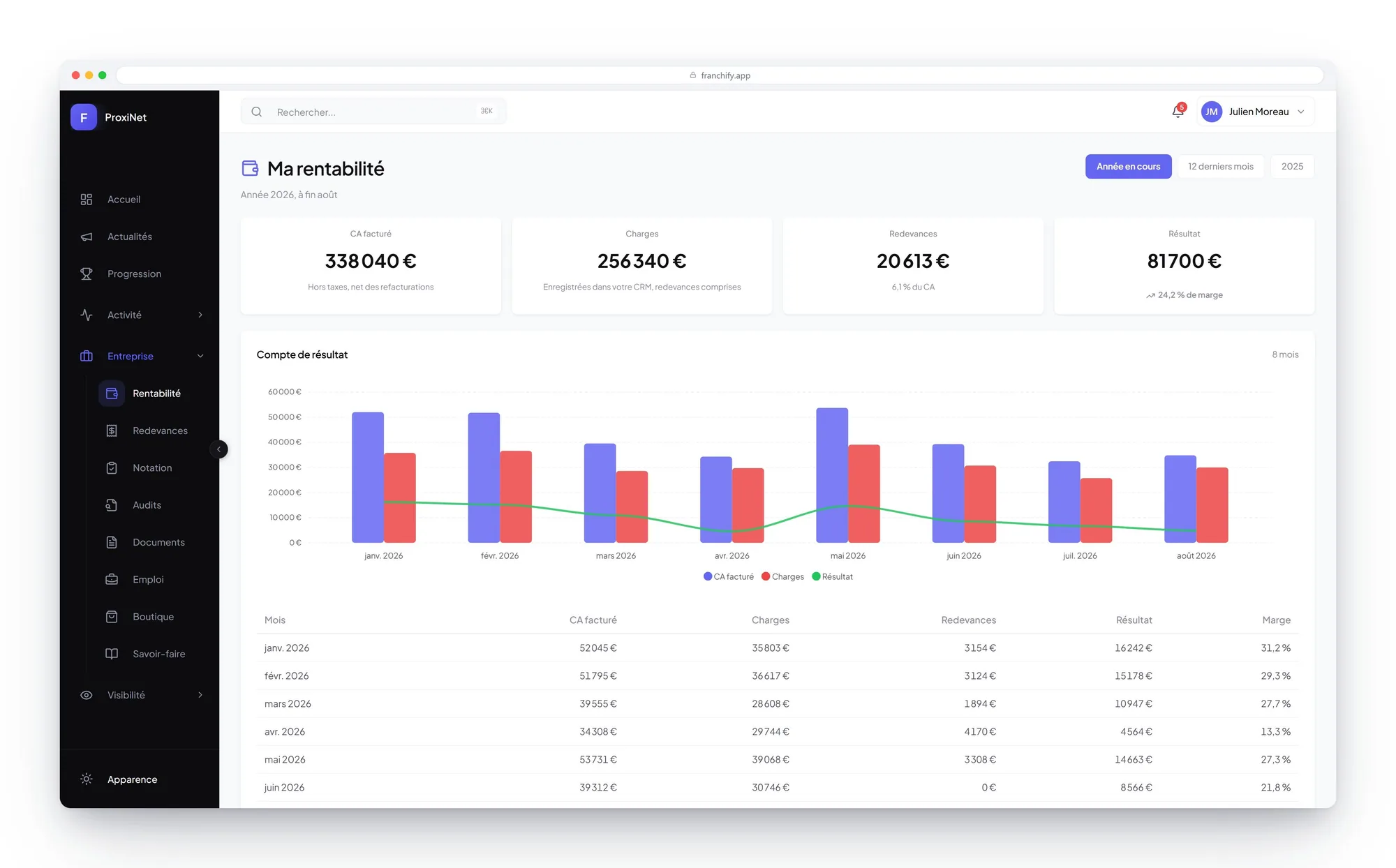
The same funnel, brought down to one branch: its invoiced revenue, its costs, its royalties line by line and its result, month by month. The franchisee steers their margin instead of discovering it.
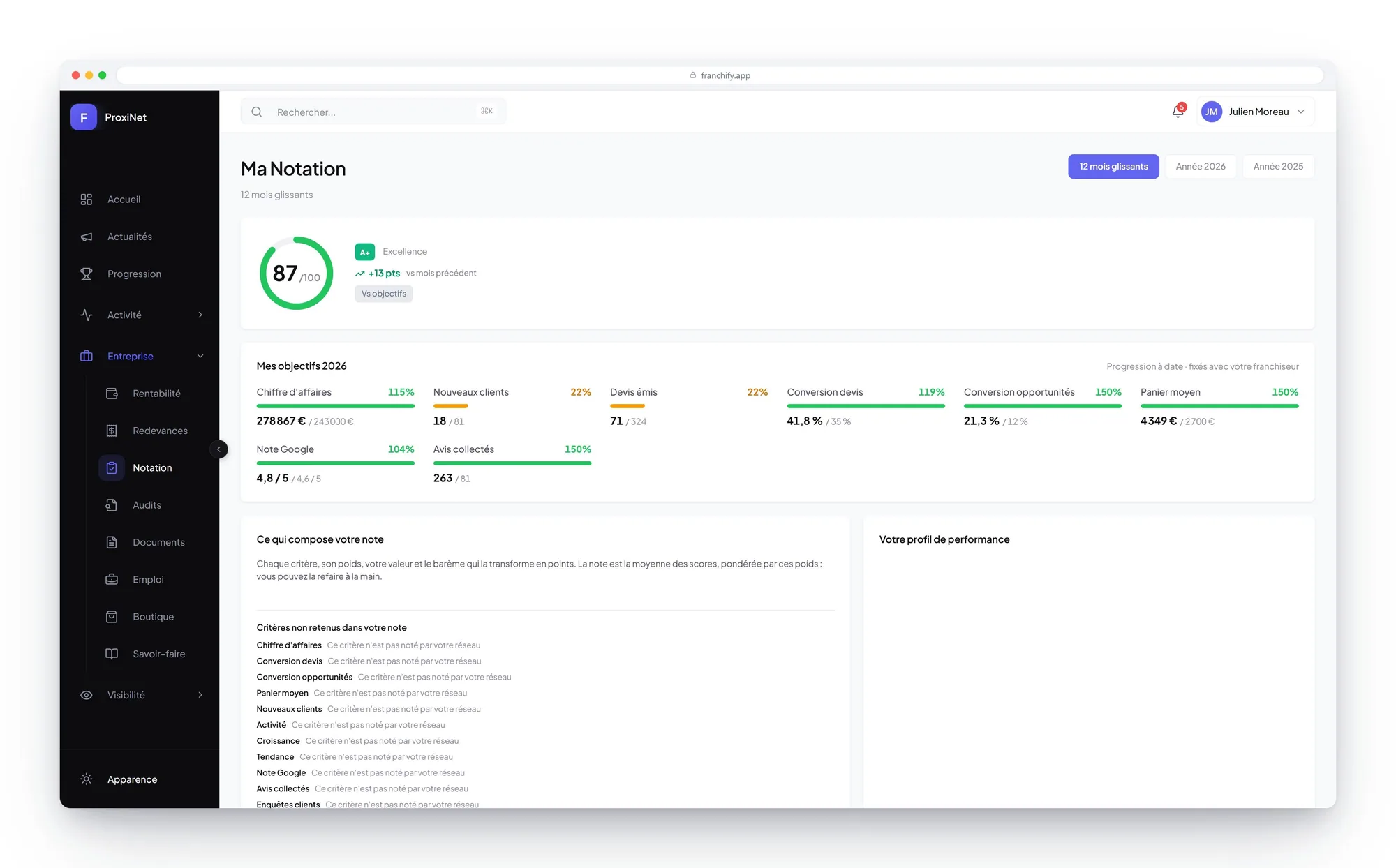
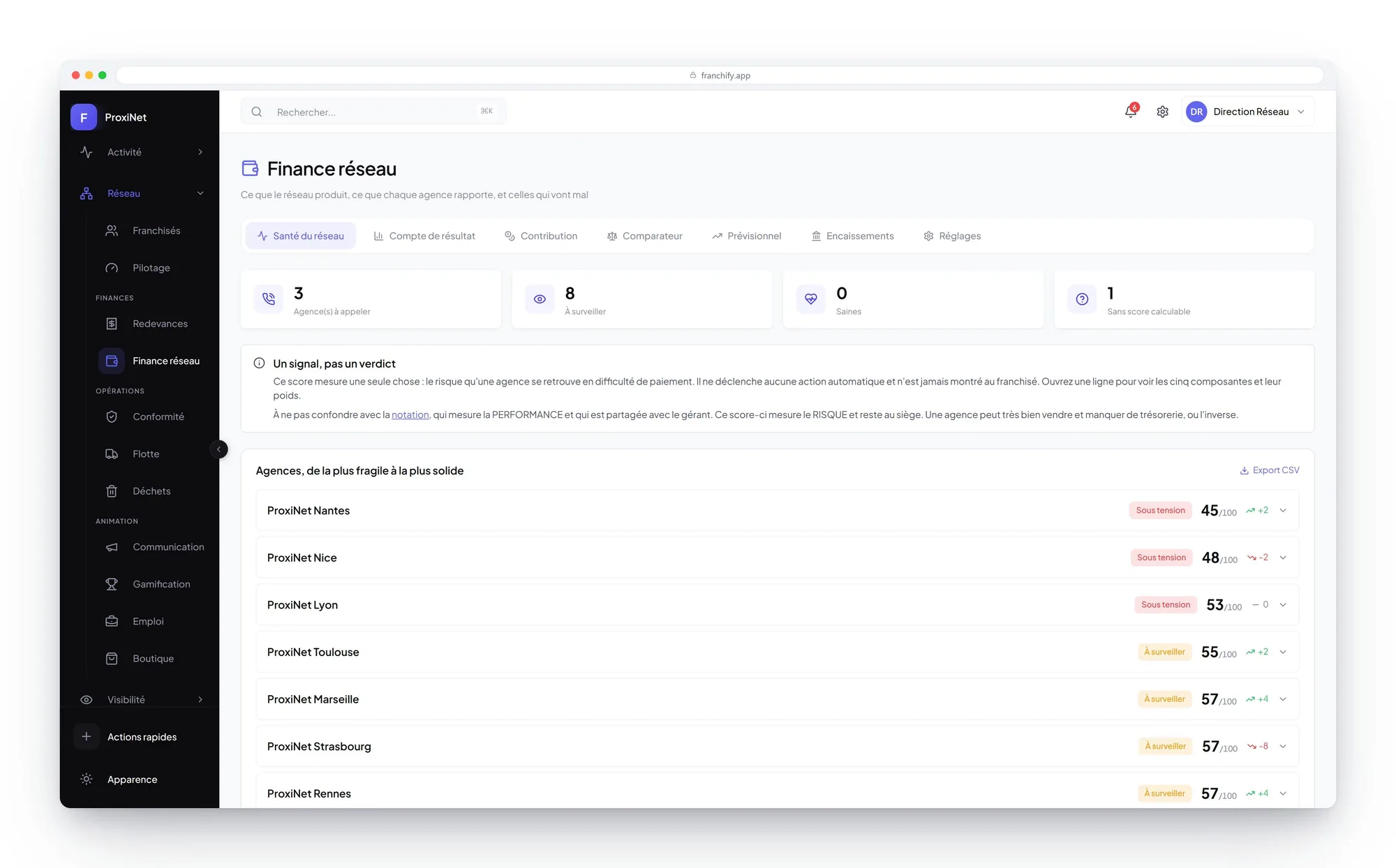
Every branch scored on facts, every territory on a map
The network fits on one screen: score, points, badges, last sync. The score is recalculated every night on weighted criteria you set, and the franchisee sees what it is made of.
- Explainable scoring, never an end-of-quarter gut feel
- Frozen history: yesterday's score stays what it was yesterday
- Annual targets agreed with each franchisee and tracked to date
- Map coloured by status, population, income, leads or score
- Candidates tracked to signing, with the twenty-day statutory delay enforced
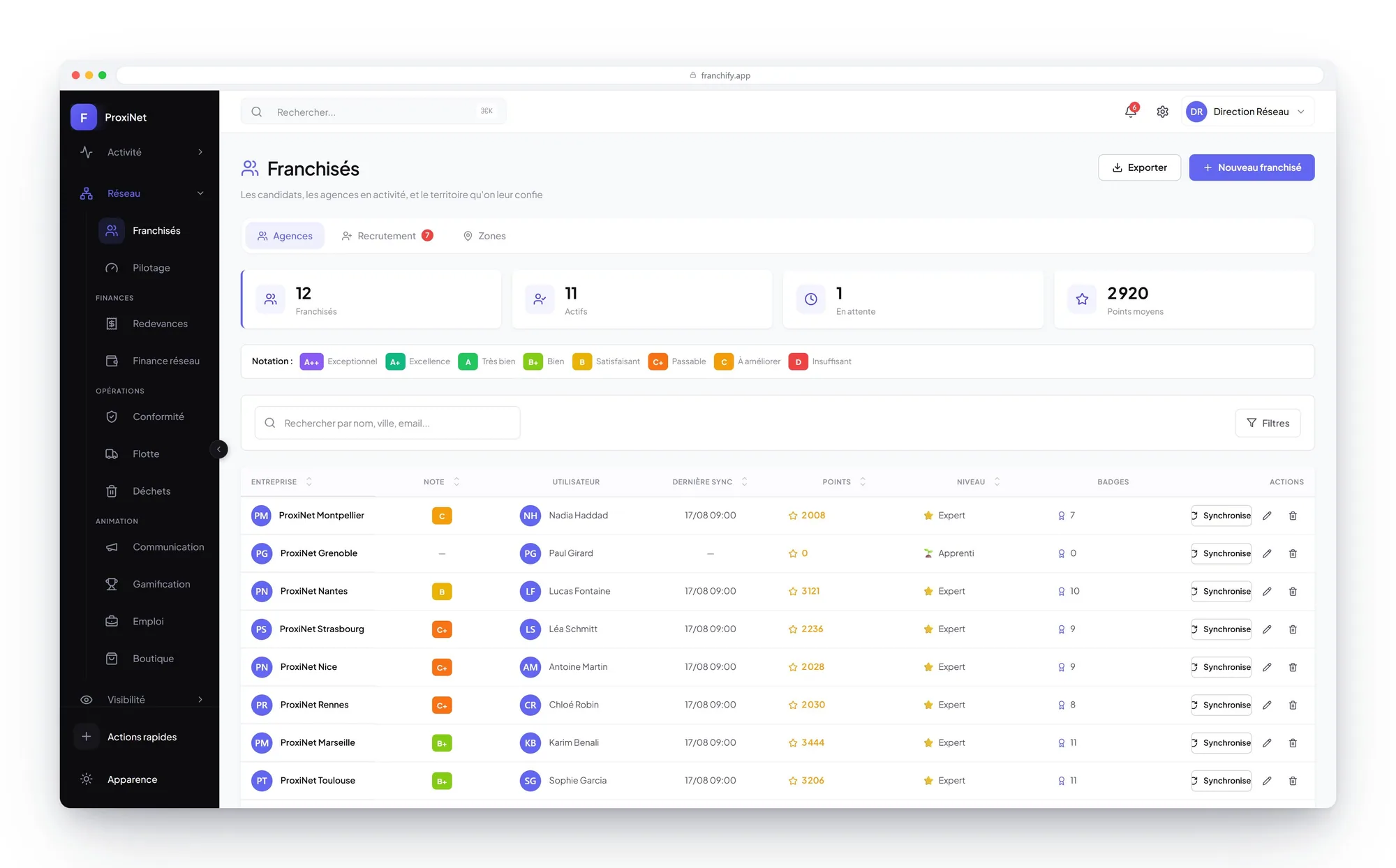
ProxiNet example. Screens and registers are configurable.
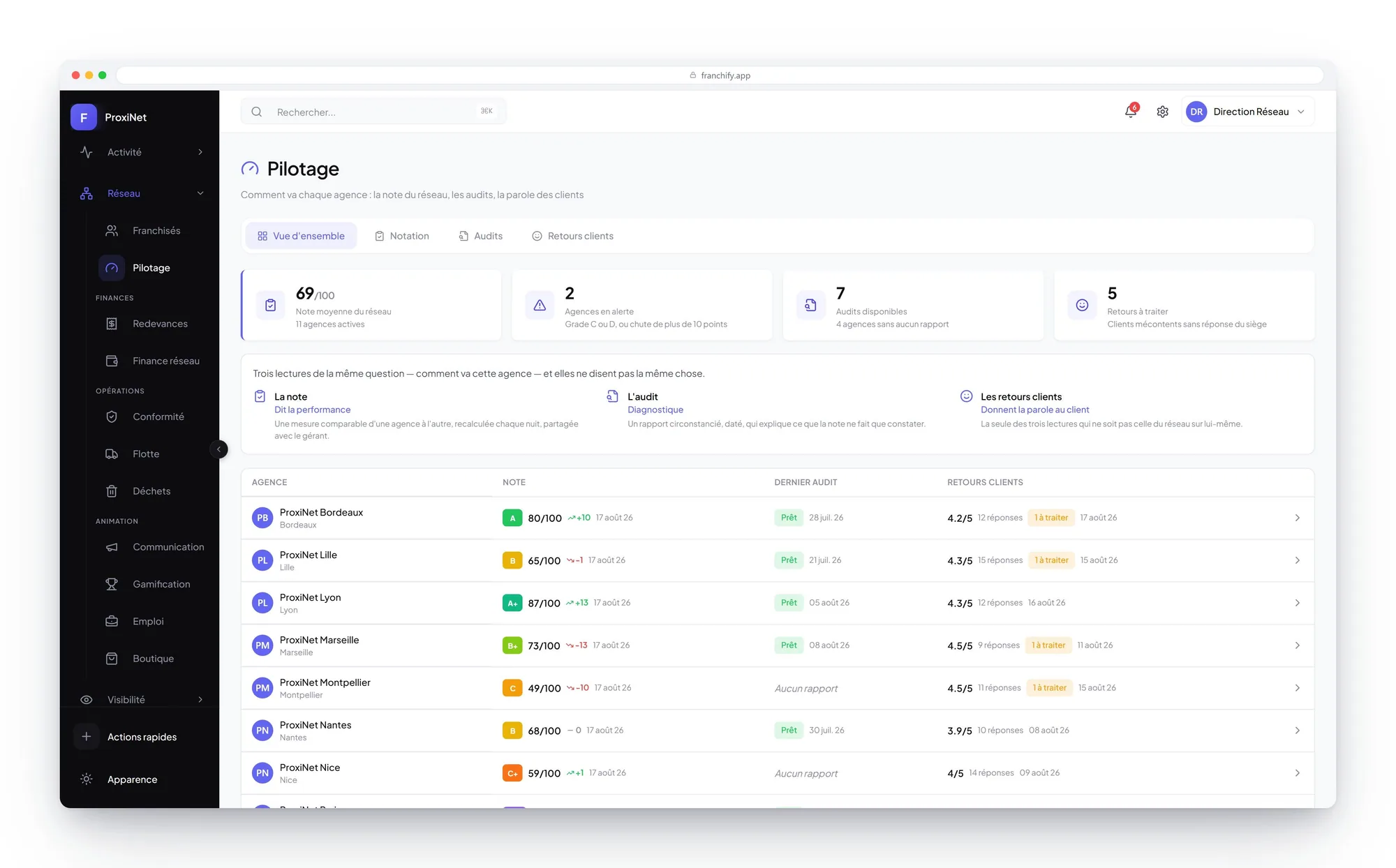
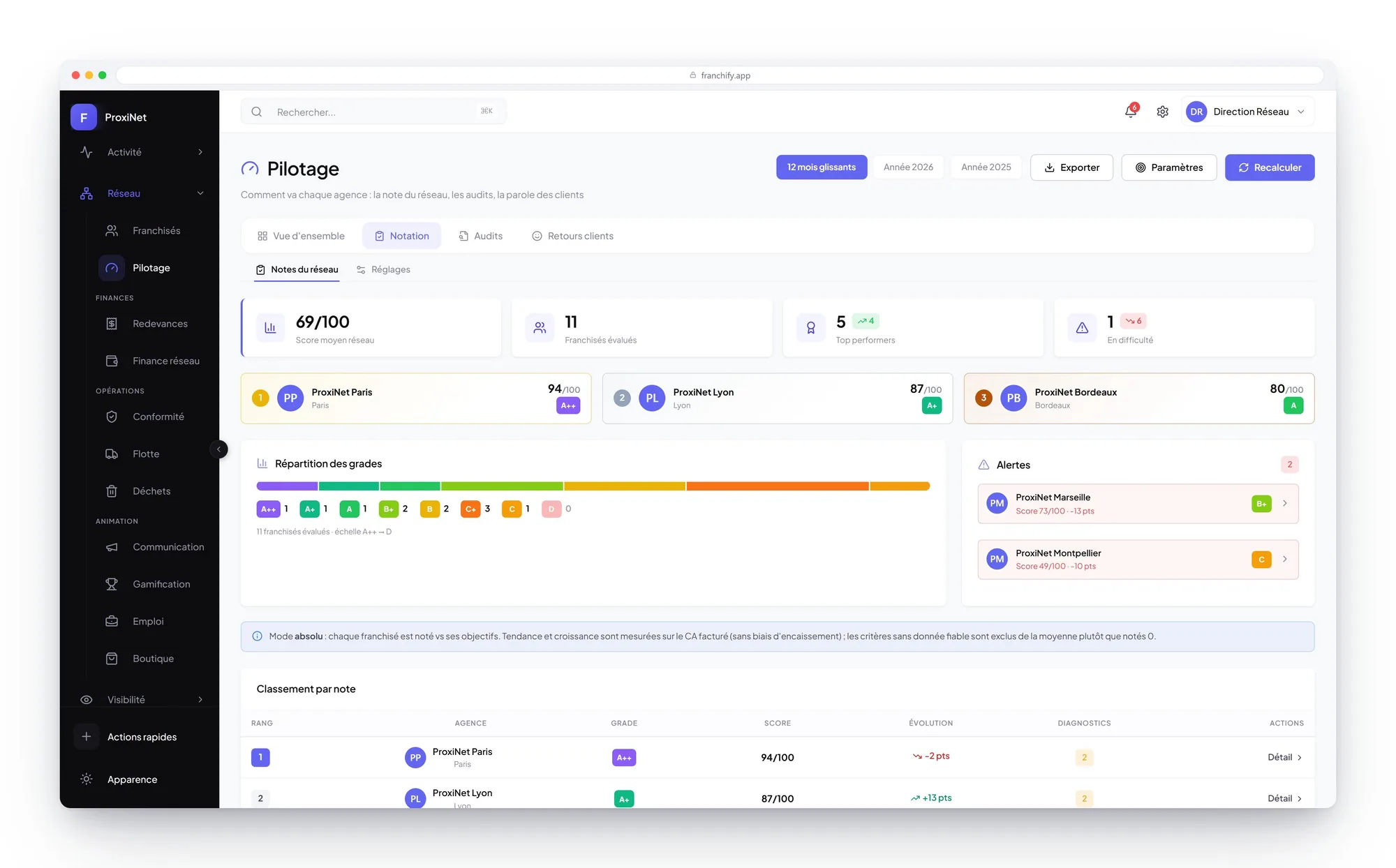
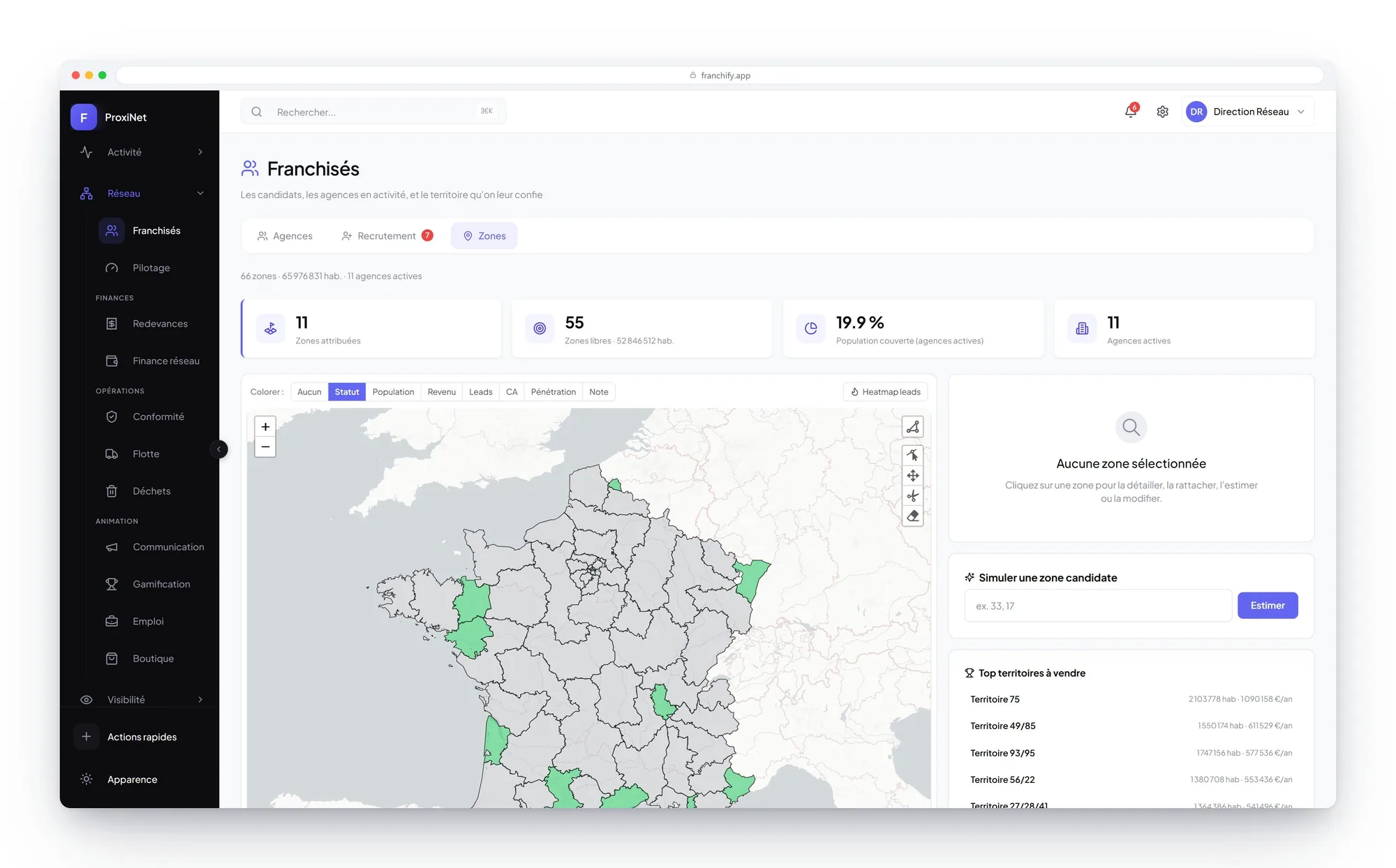
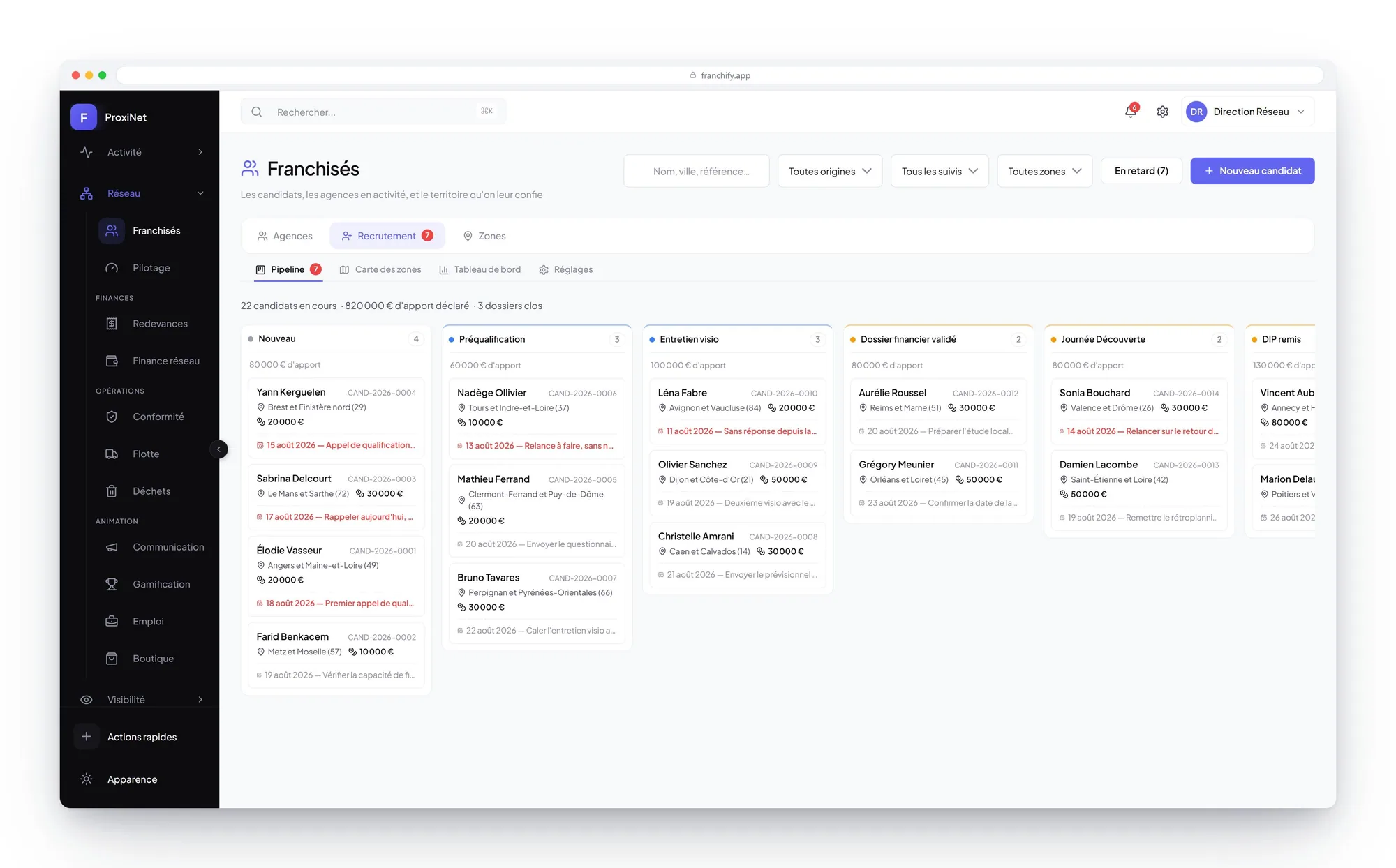
The franchisee sees their score, their targets for the year and the scale that turns each criterion into points. A score you can redo by hand is a score nobody argues with.
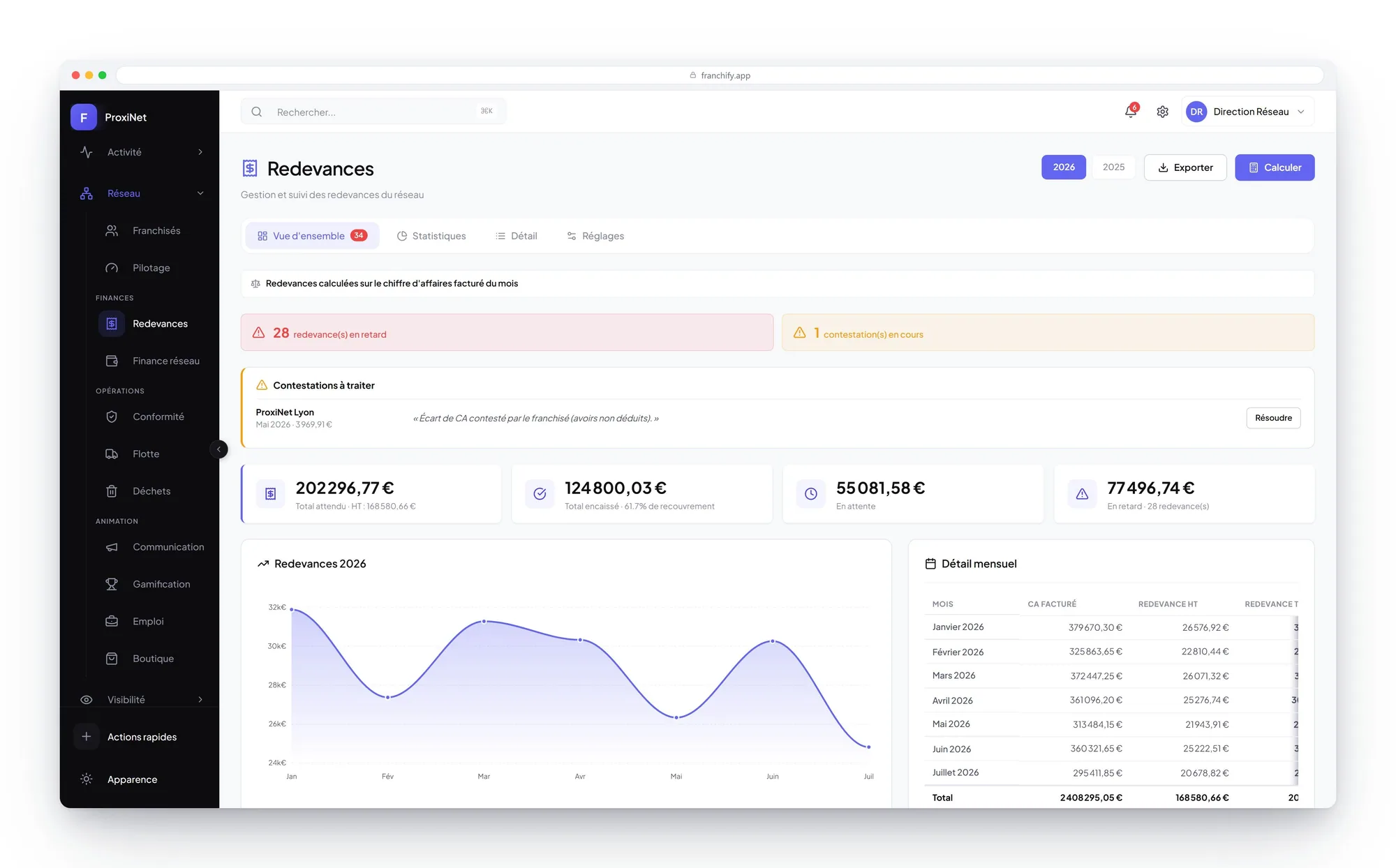
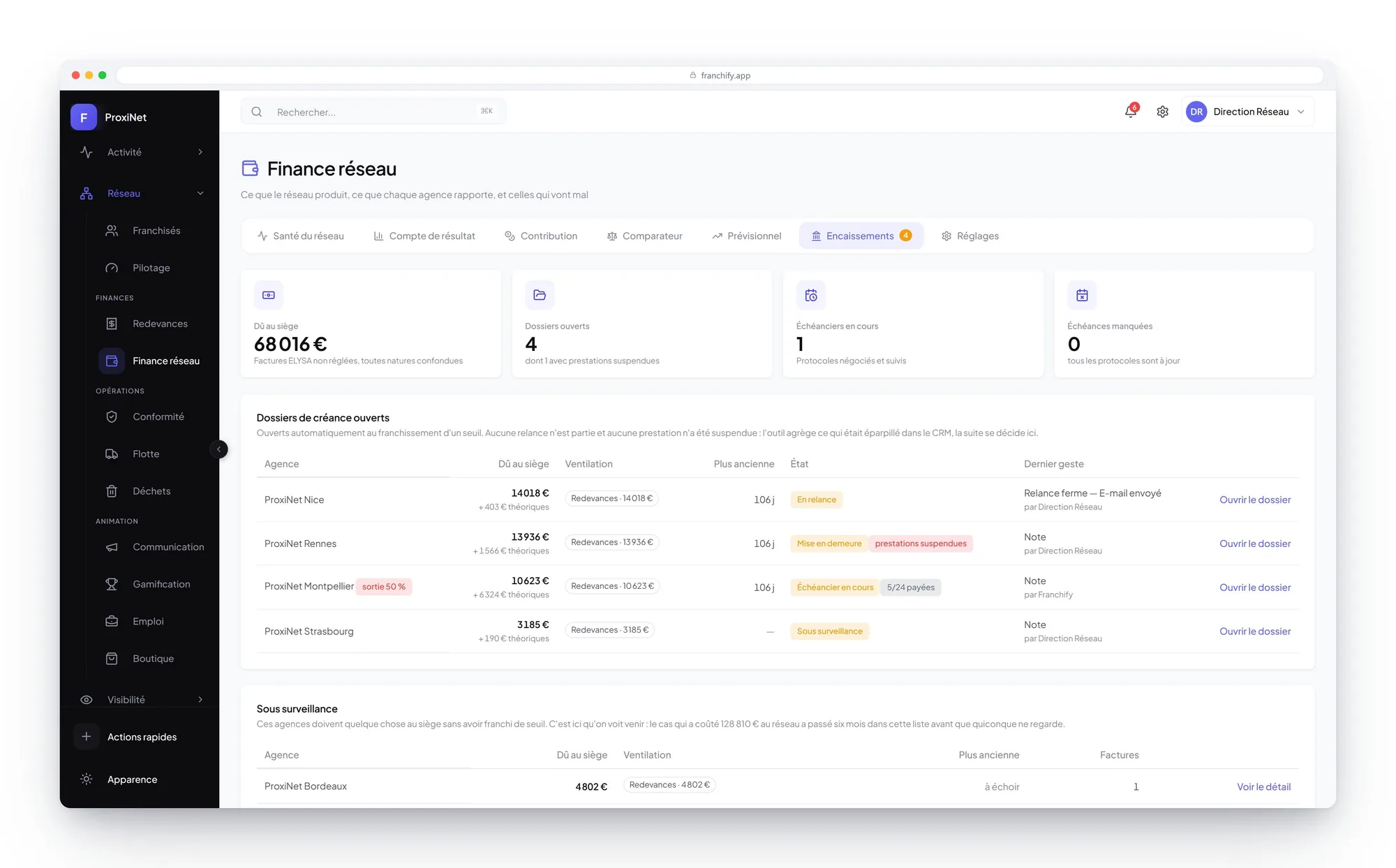
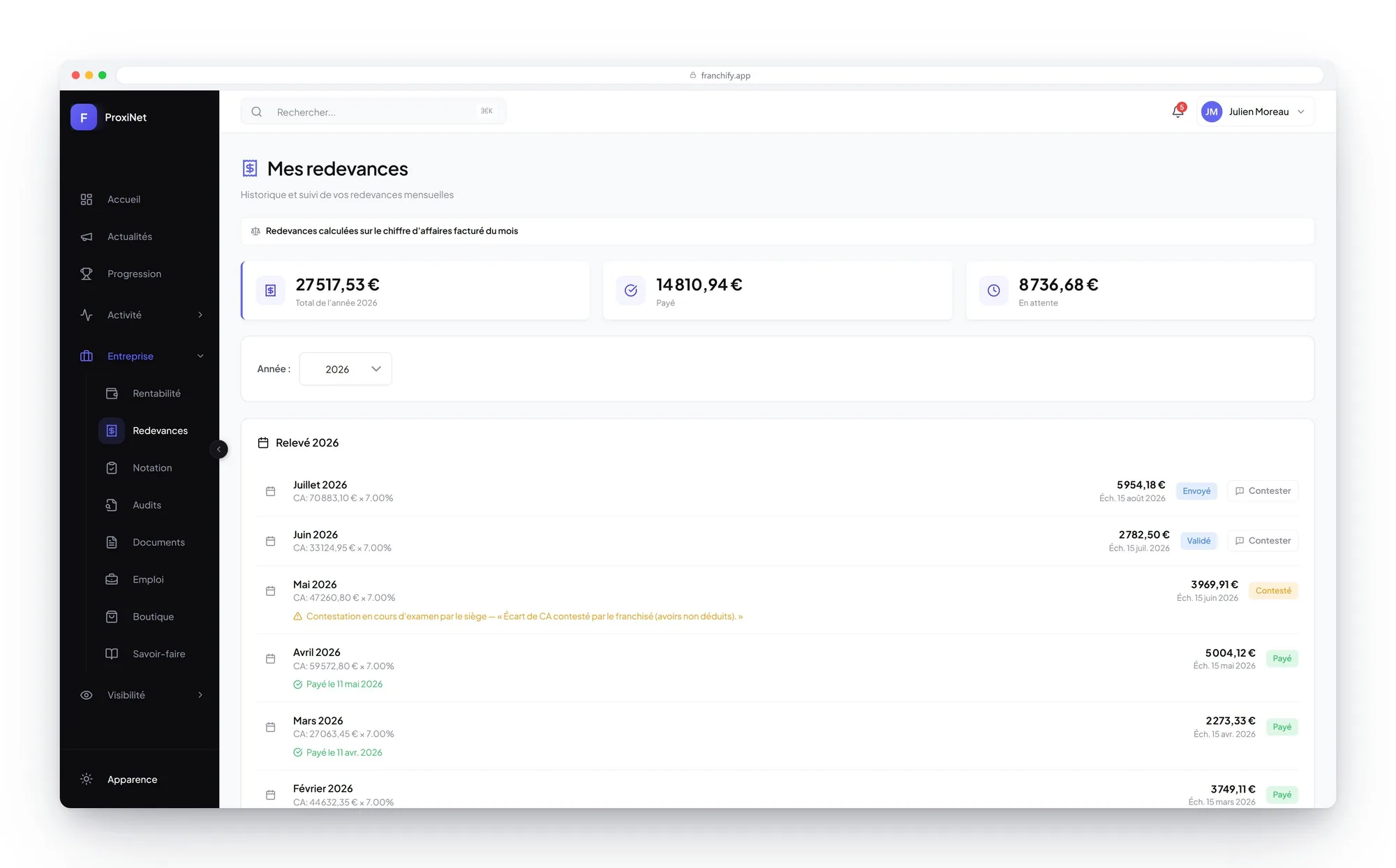
Royalties calculated, invoiced and chased
Every month the royalty is calculated on the invoiced revenue synced from the CRM, invoiced, then followed through to payment. The franchisee sees the detail line by line.
- Calculation rules configurable, contract by contract
- Collection rate, outstanding amounts and arrears flagged
- Disputes tracked and resolved in the tool, not over email
- Monthly detail and export for the accountants
ProxiNet example. Screens and registers are configurable.
The franchisee finds their monthly statement, the basis of calculation used and the button to dispute it. That is what ends the arguments about the figure, because both parties read the same line.
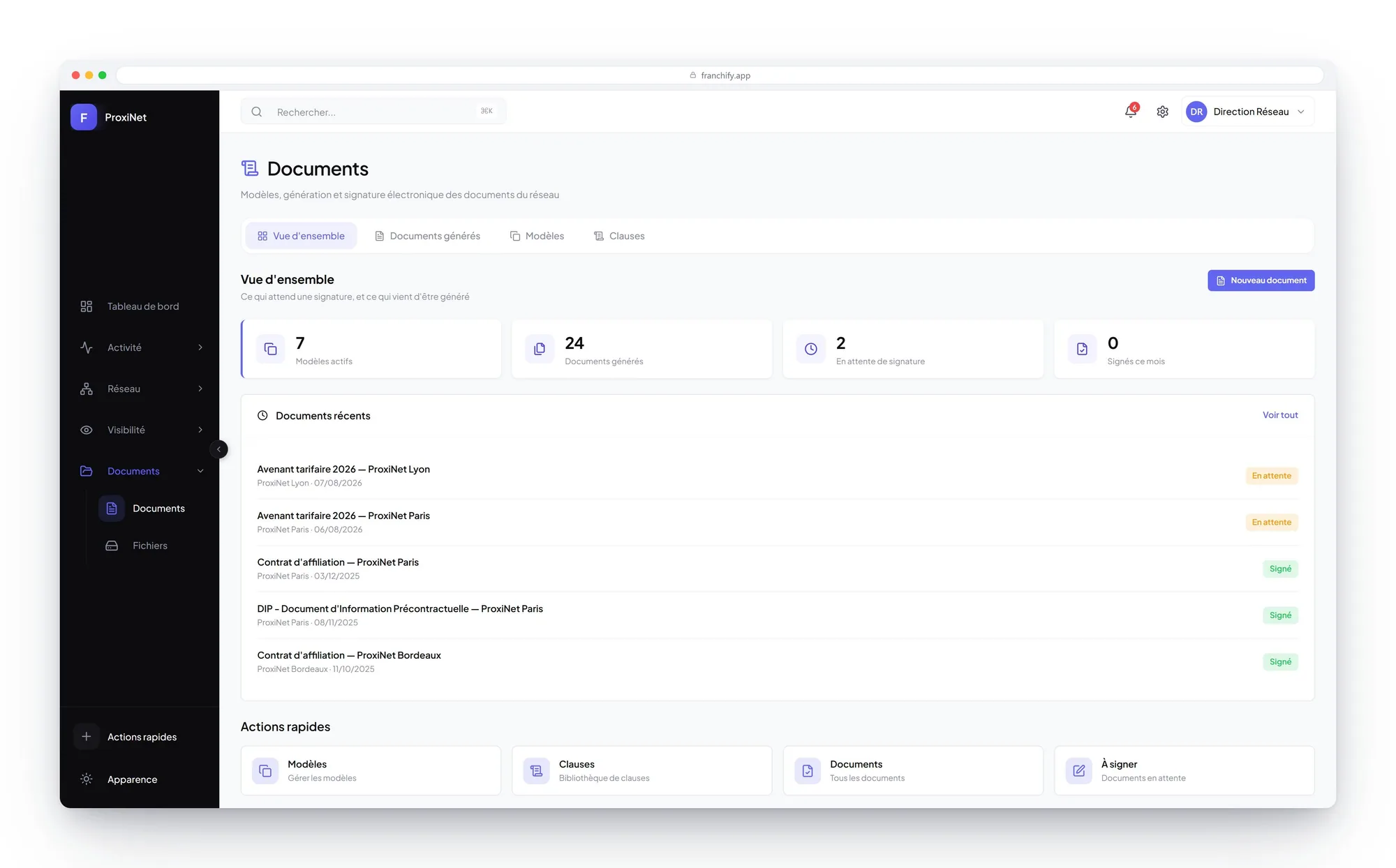
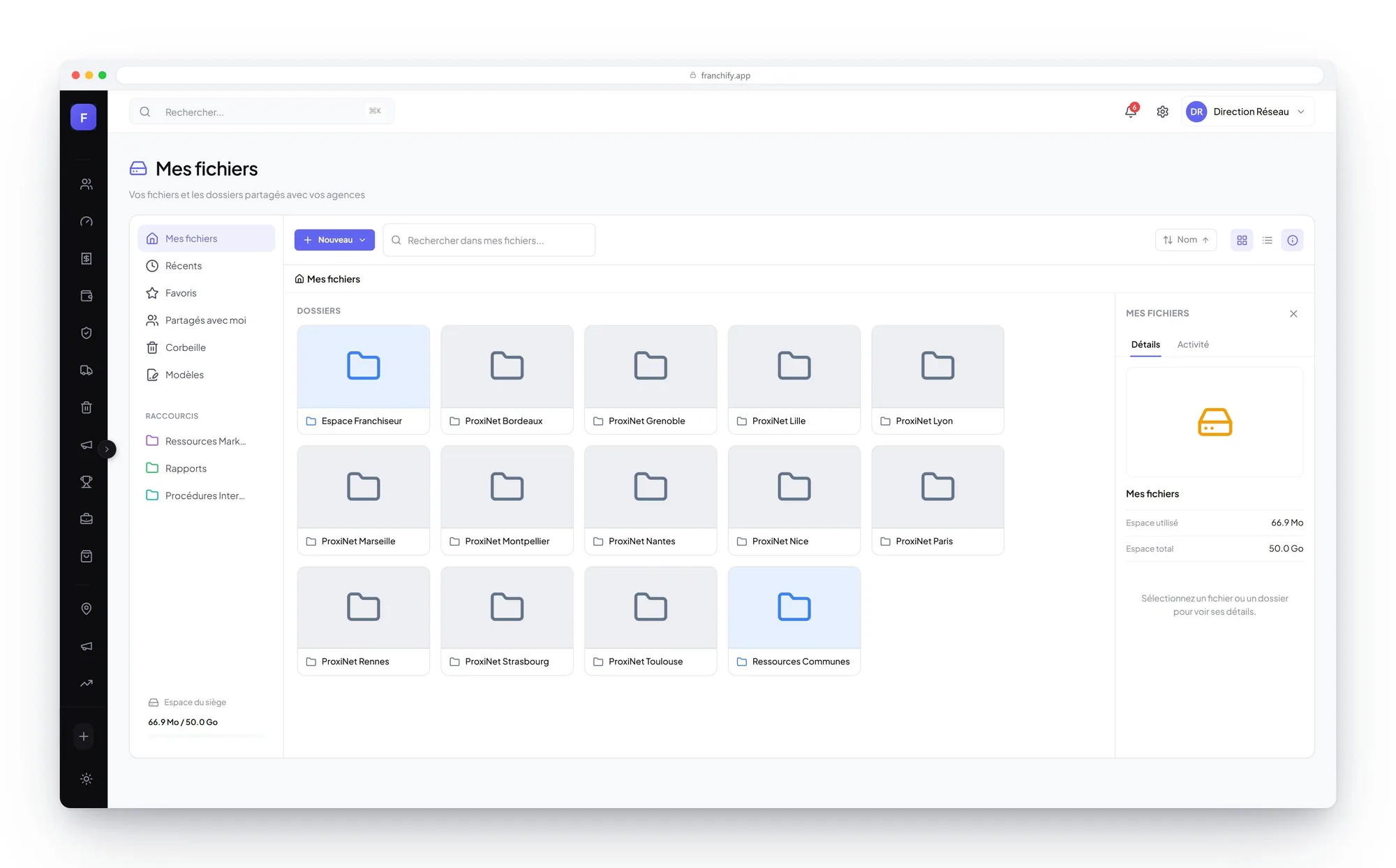
Obligations kept current, without the cardboard folder
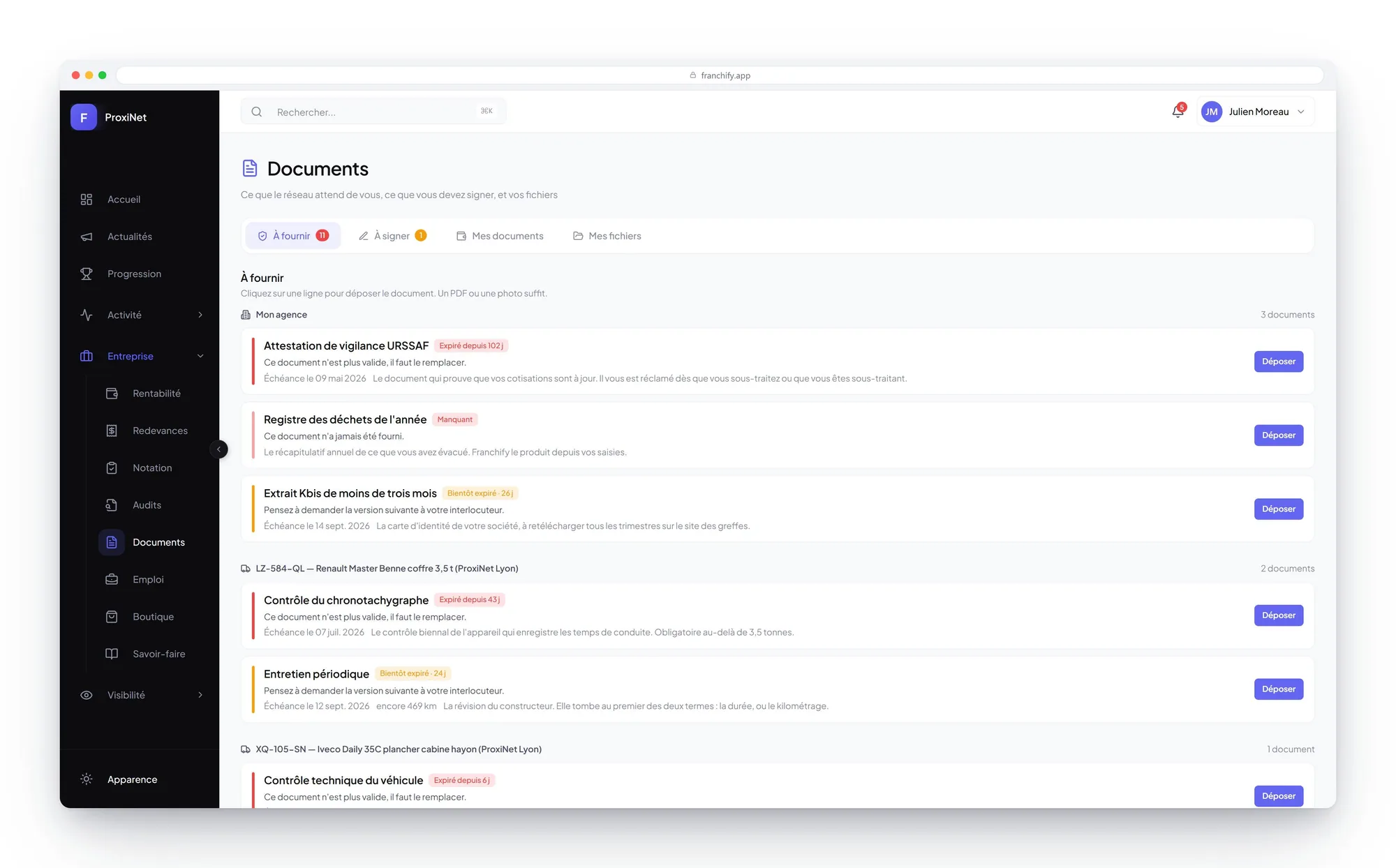
Pre-contract disclosure, contracts, insurance, accreditations: every document has its expiry date, its owner and its reminder. The registers specific to your trade sit in the same place.
- Document calendar and reminders before expiry
- Electronic signature for the network's paperwork
- Regulatory registers where the activity requires them
- A shared library between head office and the branches
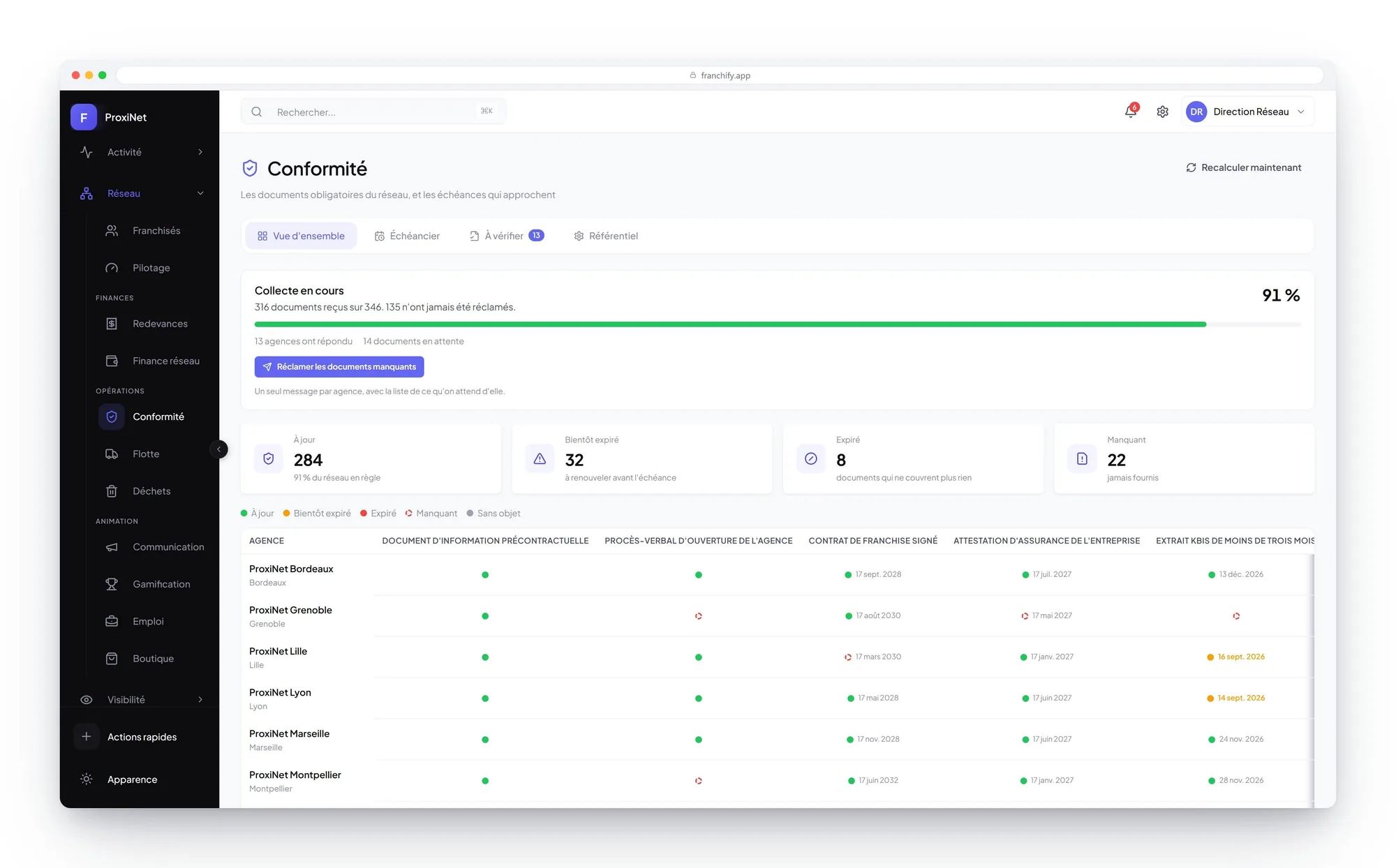
ProxiNet example. Screens and registers are configurable.
The franchisee sees what is current, what expires and what is missing on their side. Nobody discovers an expired certificate on the day it had to be produced.
Advertising judged on deals, not on clicks
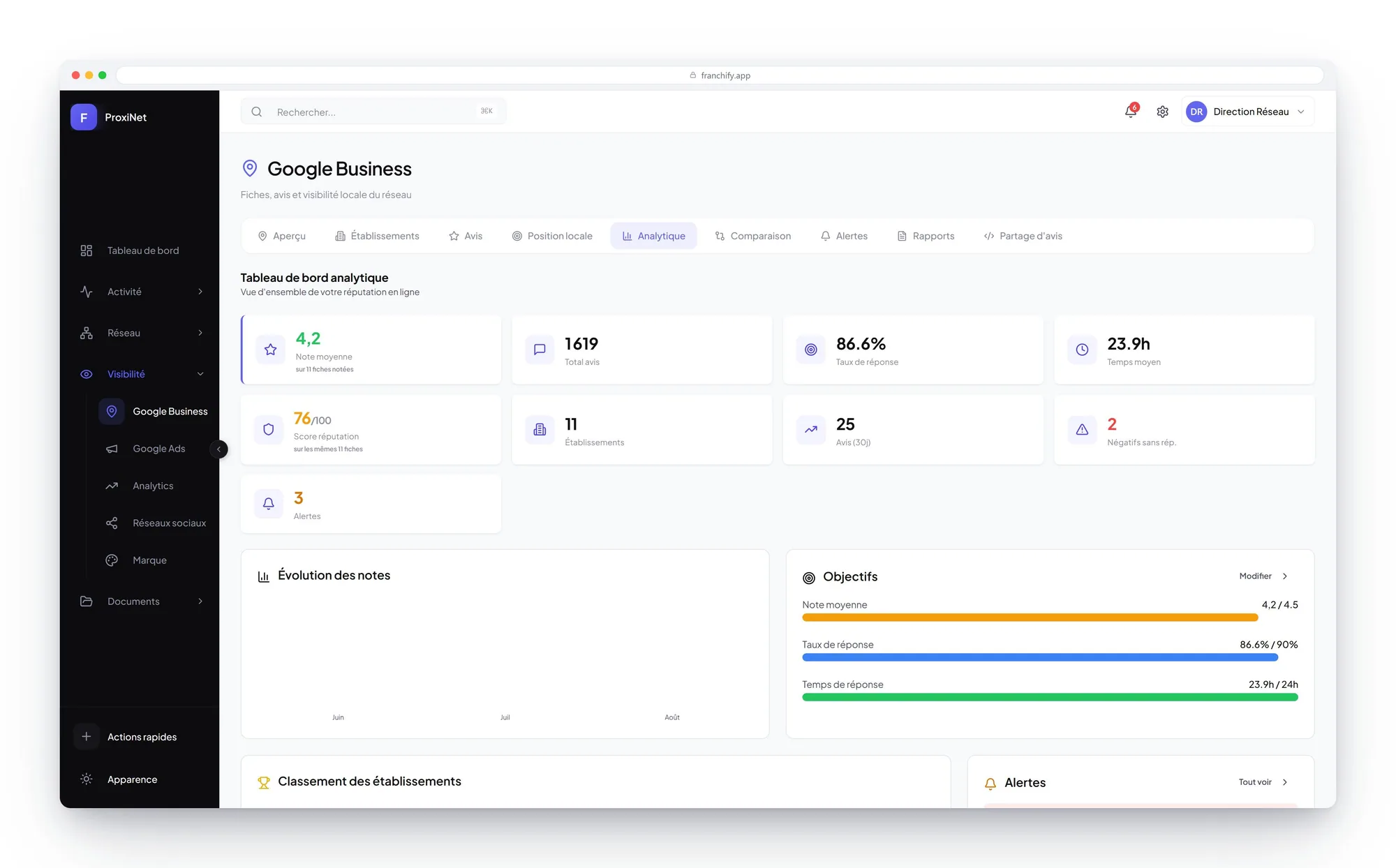
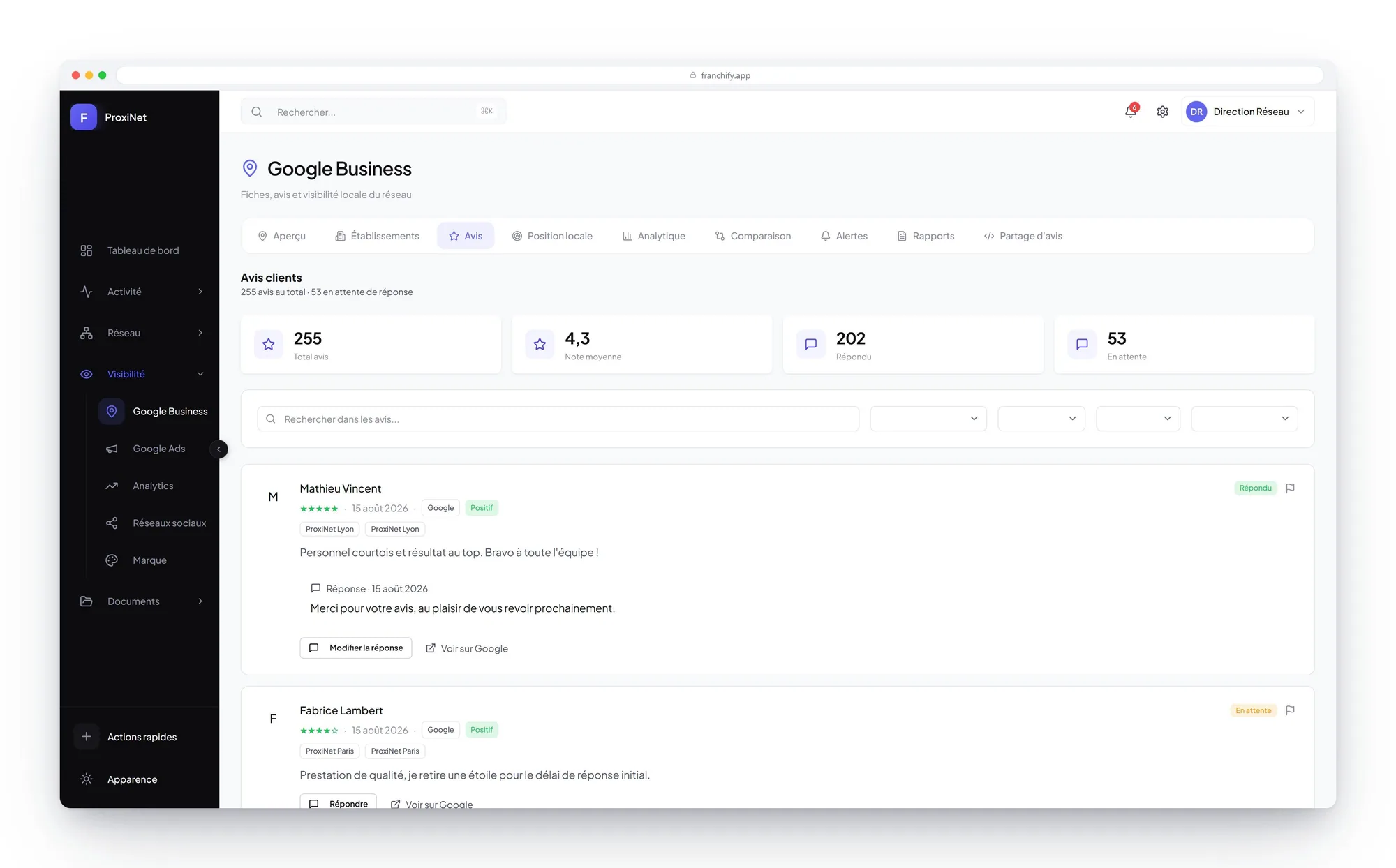
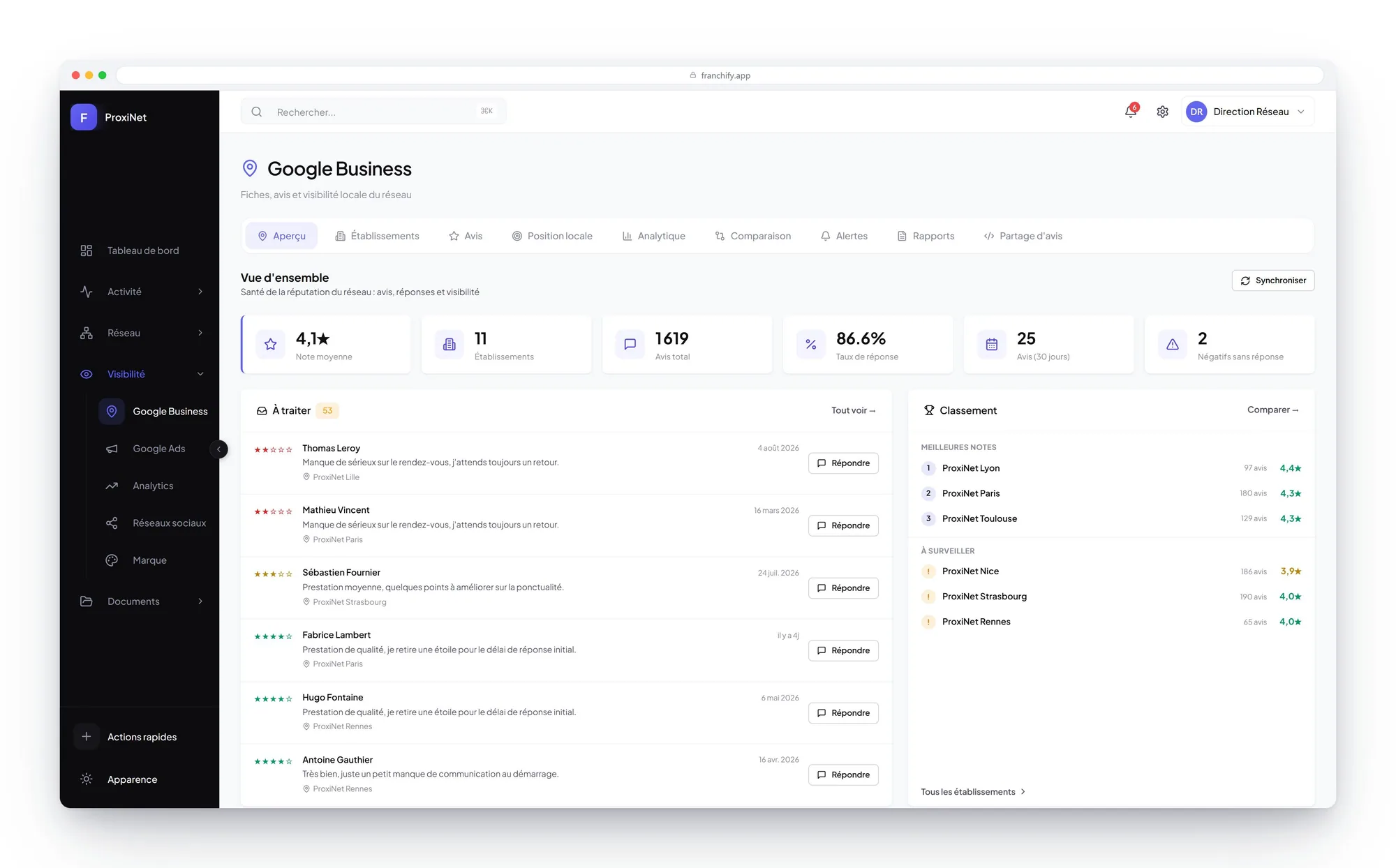
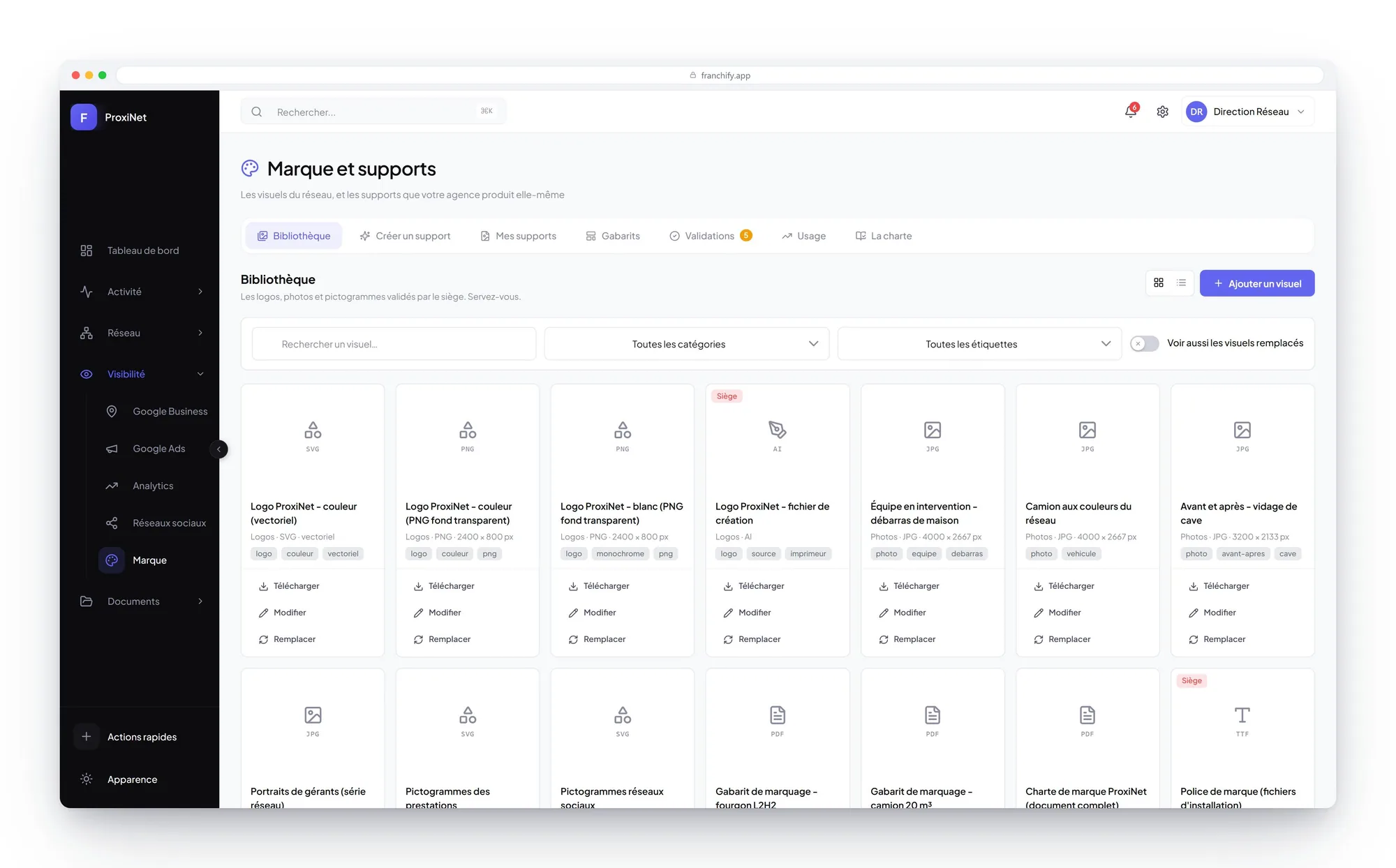
All the network's ad accounts in one place, aggregated or account by account, with return on investment calculated on revenue actually signed. Each location's reputation is on the same screens.
- Campaigns, keywords, search terms, devices and geography
- Offline conversions sent back to the ad platforms every night, with their value
- Analytics, Search Console and social in the same screens
- Targets for rating, response rate and response time per location
- A review reply suggested by the AI, on brand, approved before publishing
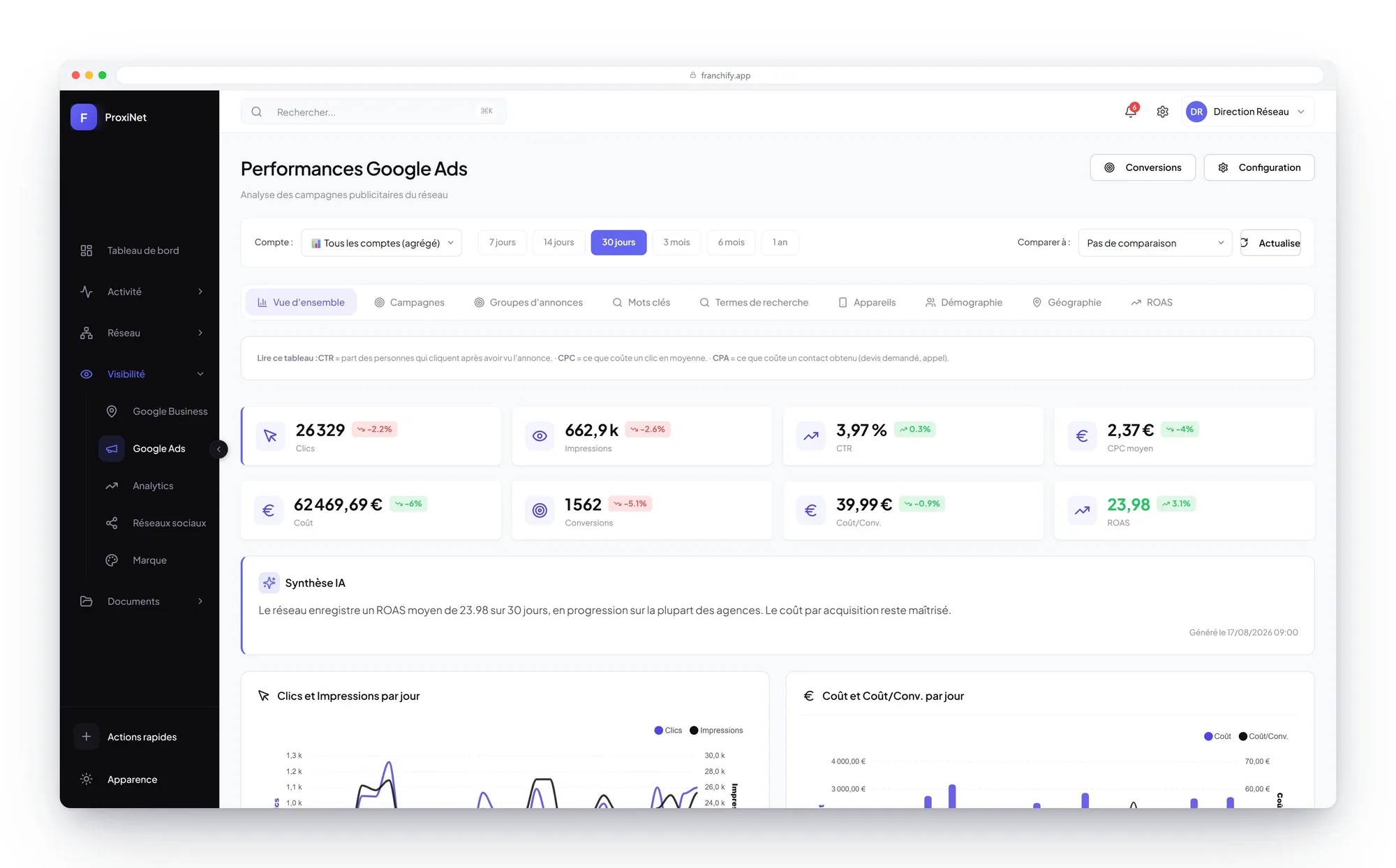
ProxiNet example. Screens and registers are configurable.
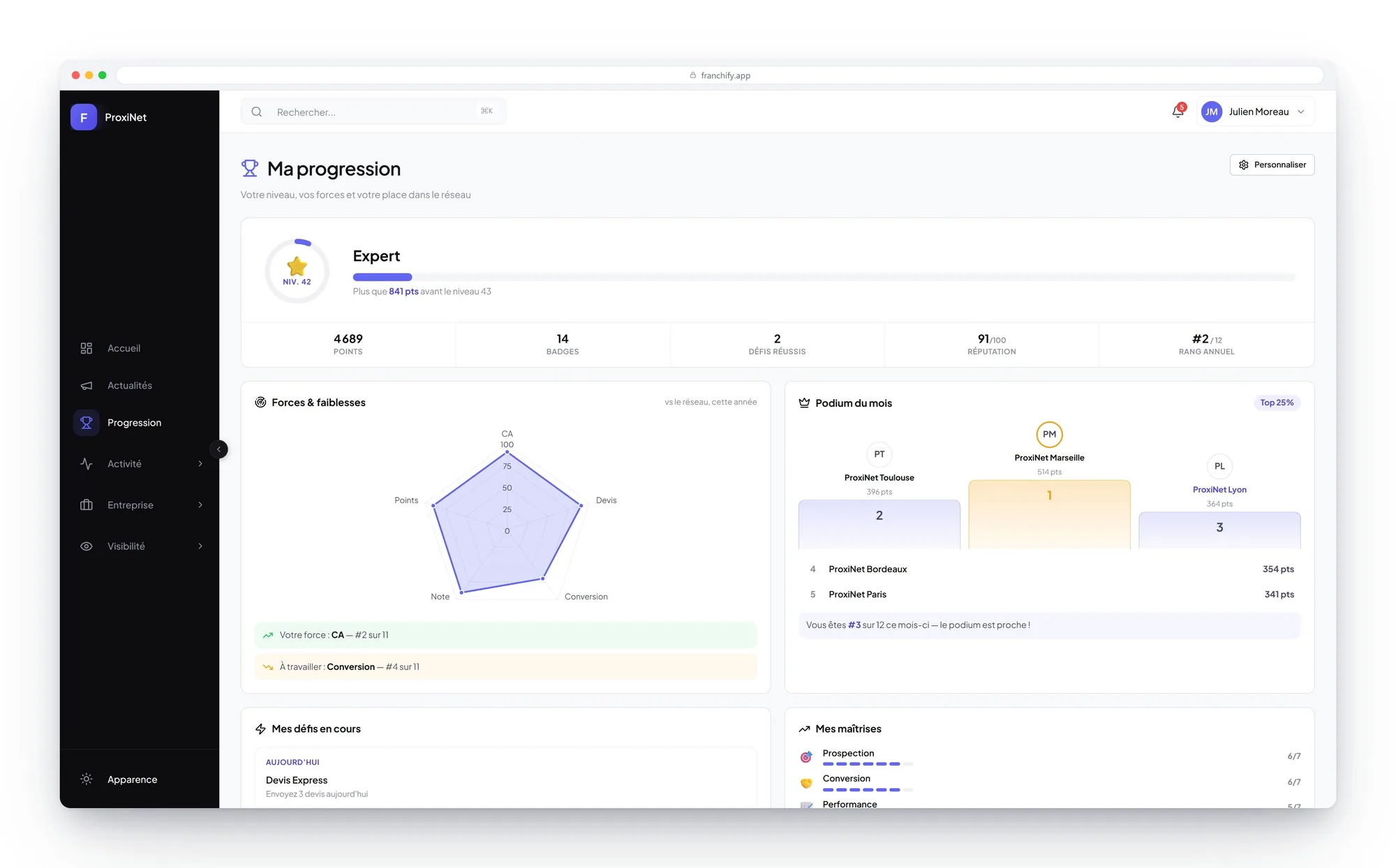
A network that compares itself, competes and talks
Points, levels, badges, challenges and competitions: running the network becomes part of the tool, not a file sent out at the end of the quarter.
- Configurable point rules, full history of what was awarded
- Challenges and competitions between branches, monthly leaderboard
- News, procedures and head office announcements
- The network's job openings and who has been trained
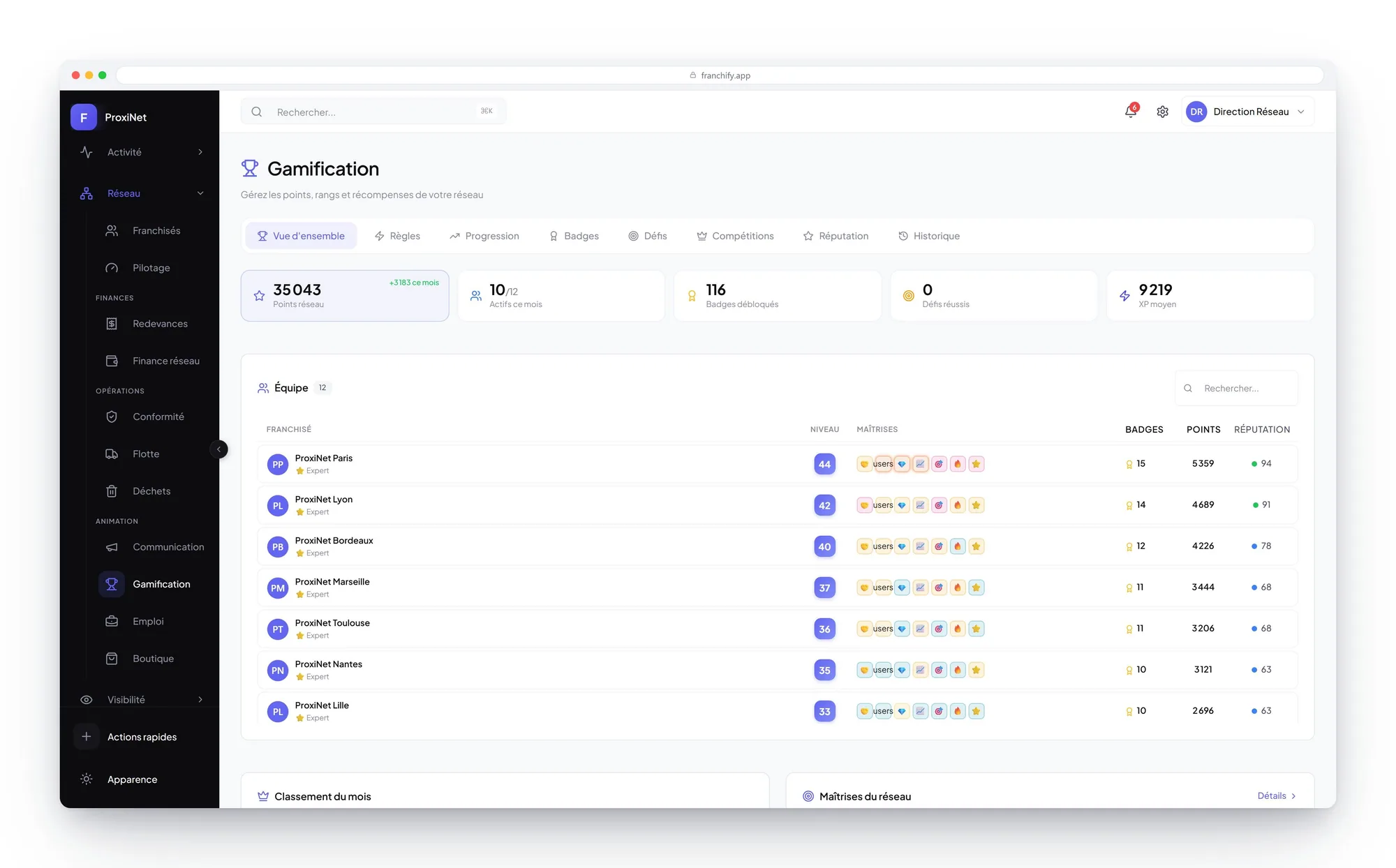
ProxiNet example. Screens and registers are configurable.
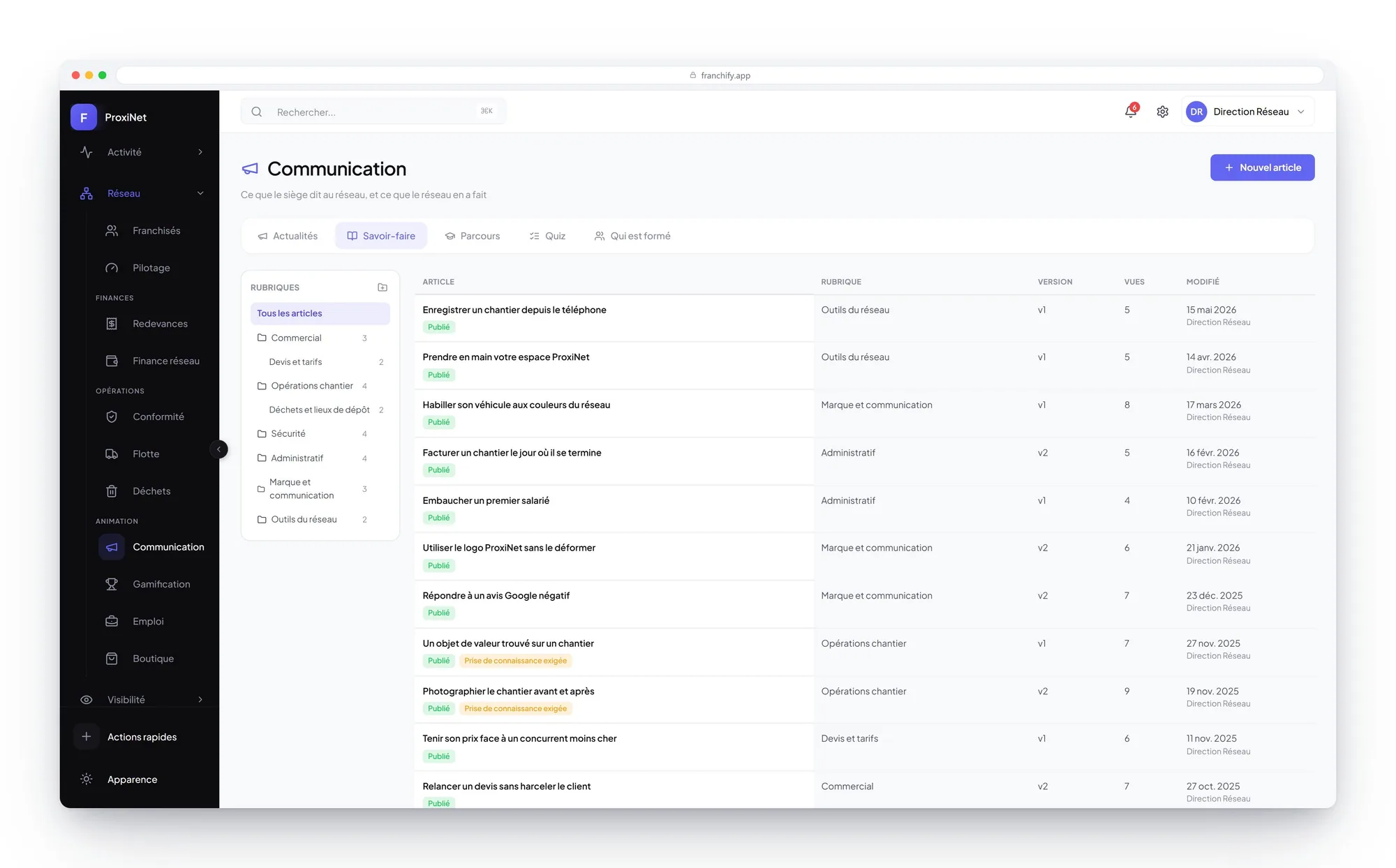
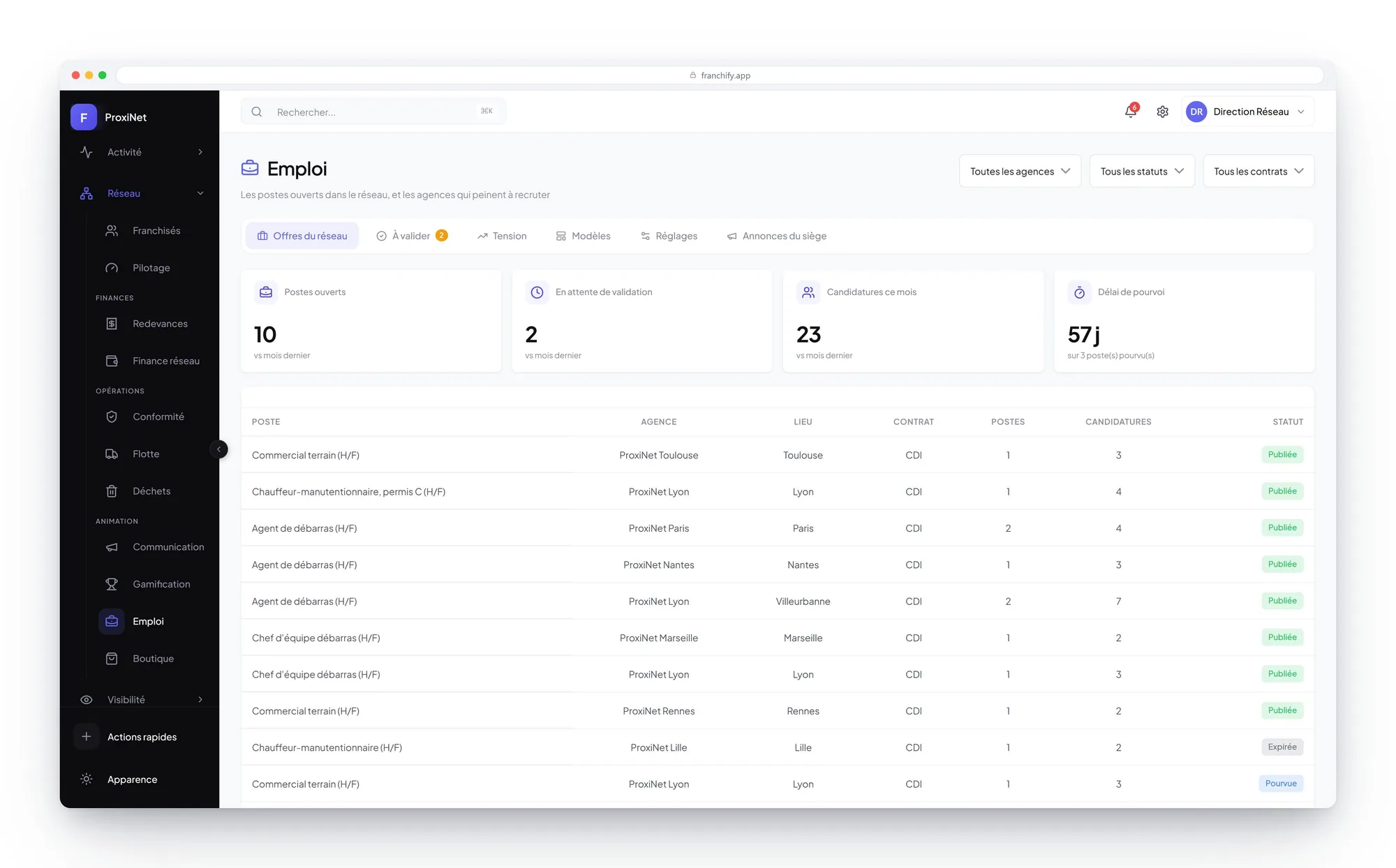
The franchisee sees their level, their badges, their strengths and their weak spots against the rest of the network, and the month's podium. Emulation stops being a file received as an attachment.
The branch run from a phone
The app installs on the phone, works offline and resyncs on its own. It gives the franchisee their priorities for the day rather than one more dashboard.
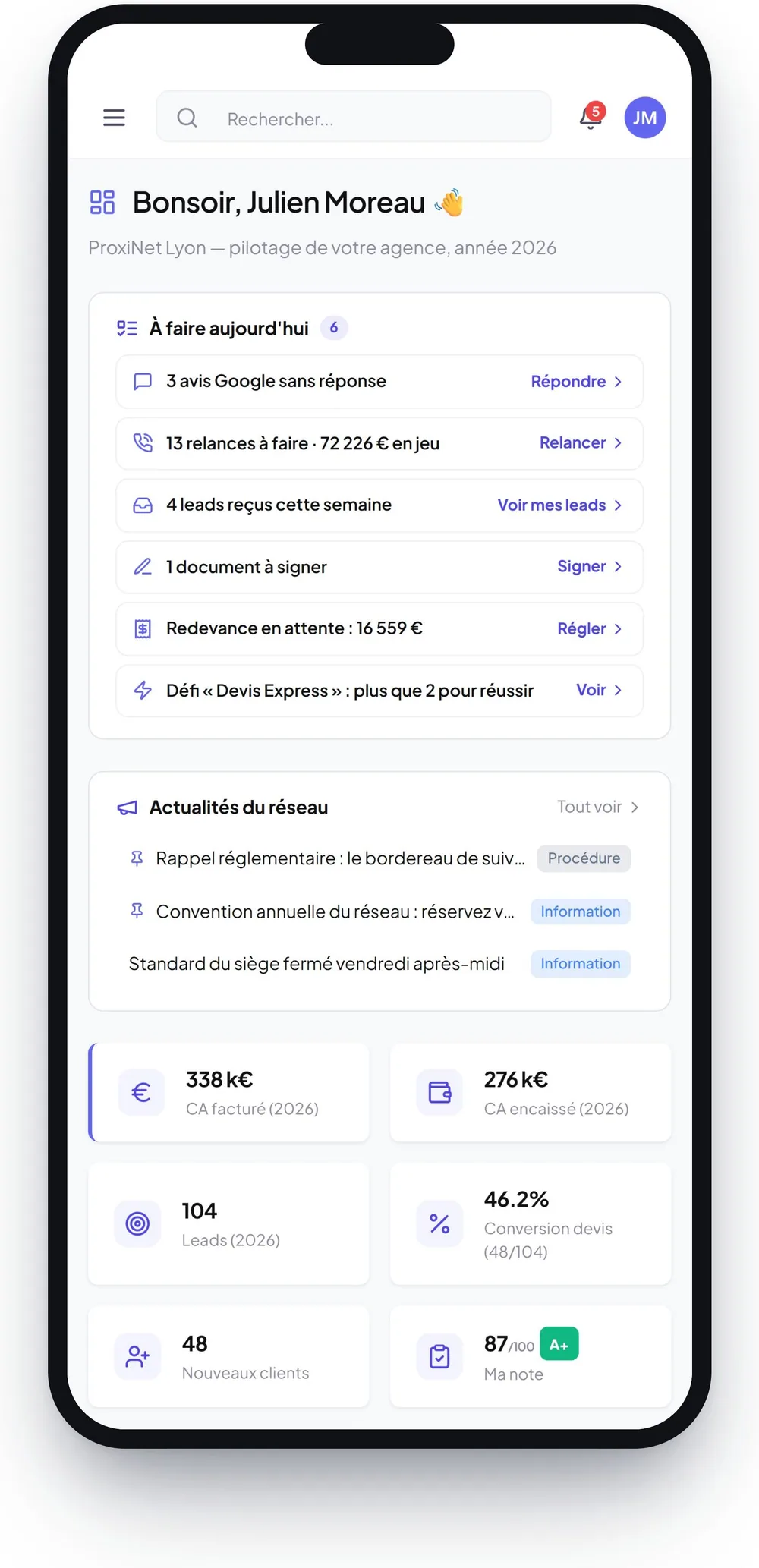
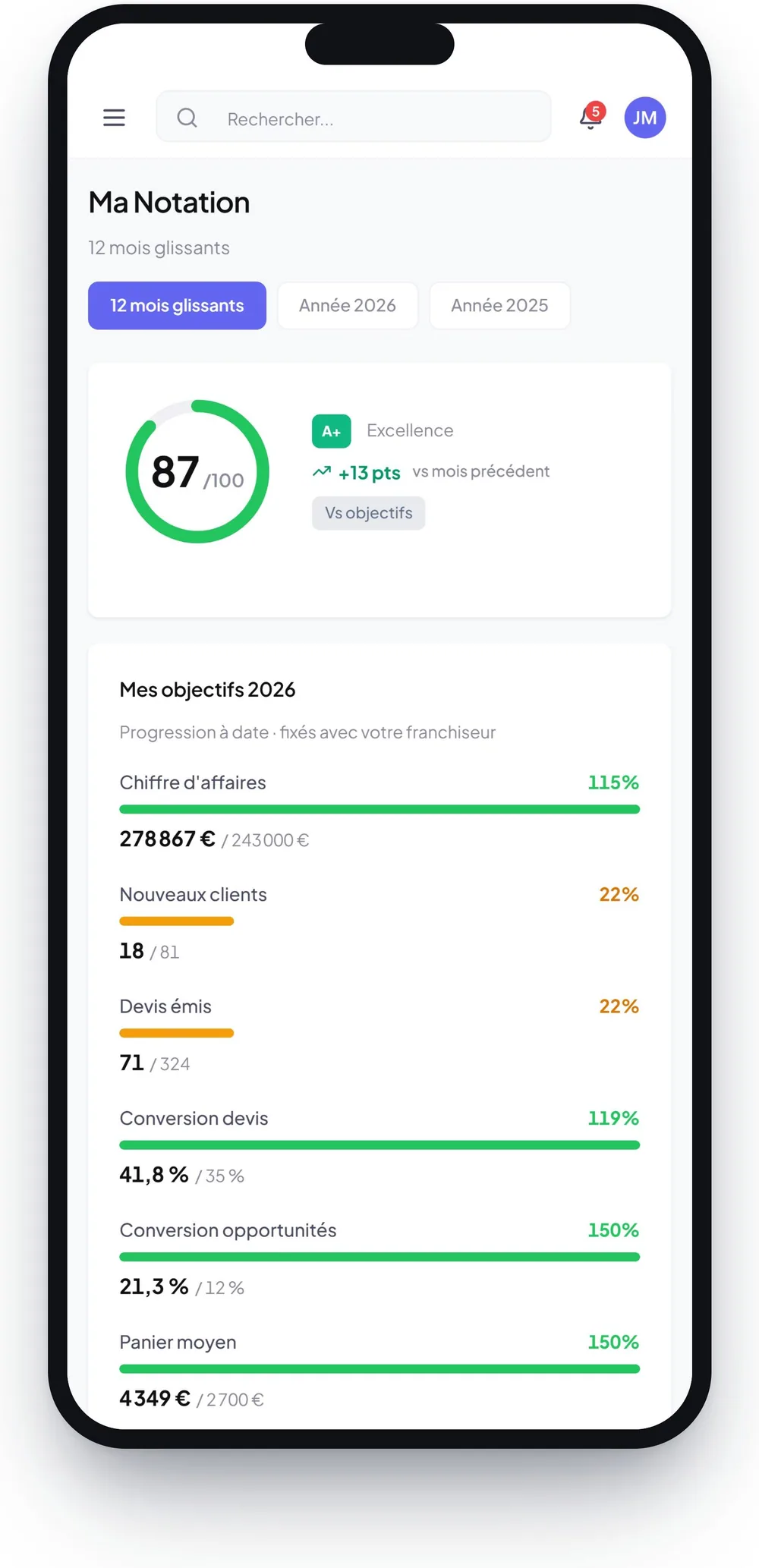
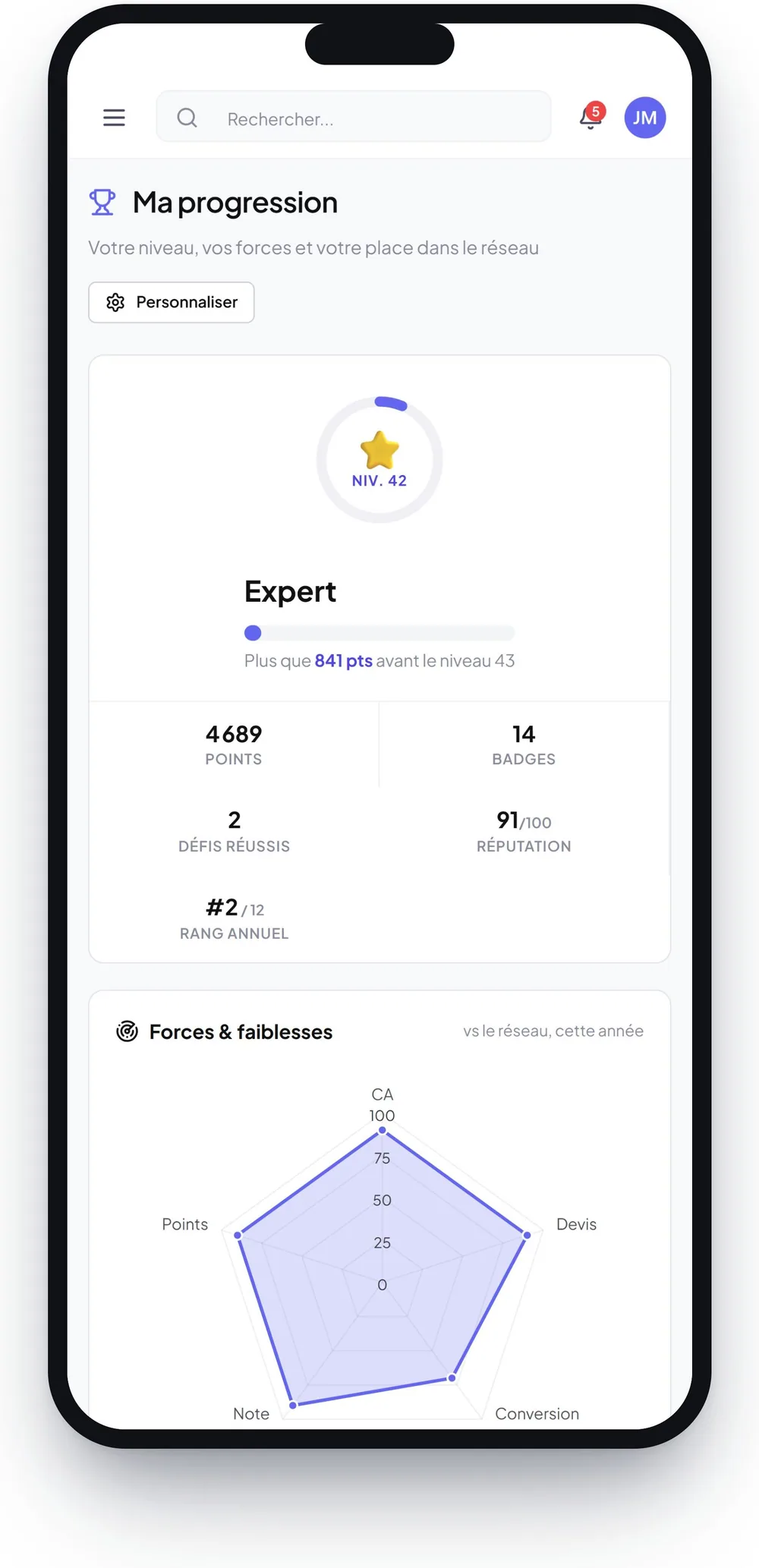
ProxiNet example. Screens and registers are configurable.
A product we show, not one you download
We walk through it on your own network, and we tell you plainly whether you need it today or not yet.
Request a demonstration